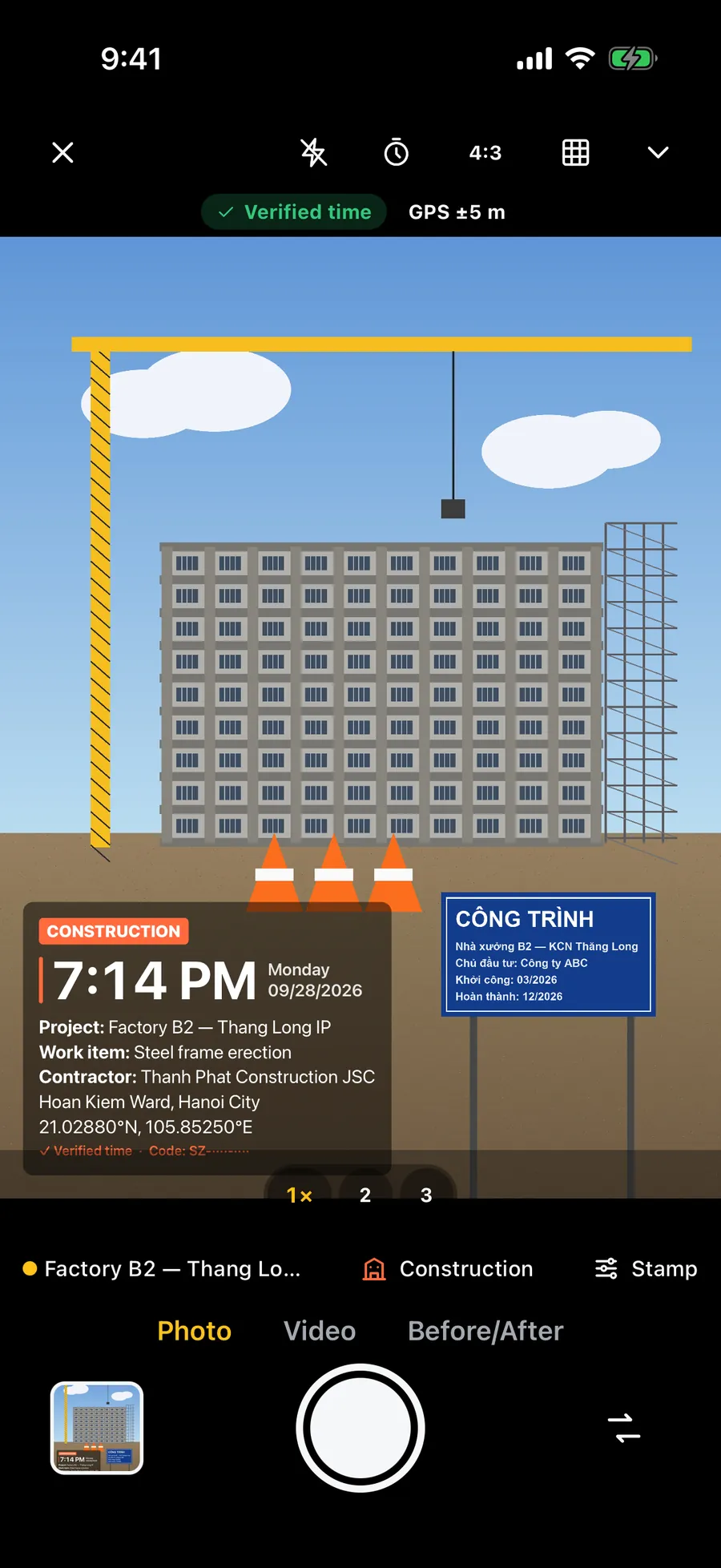
Shoot, and it has the time and the new address. Report sent in 10 seconds.
Stampzy stamps the time, date, GPS coordinates and the address in Vietnam's new administrative structure — 34 provinces, communes and wards, no district level — onto photos and videos the moment you take them. It works offline and comes with templates for attendance, construction and delivery.
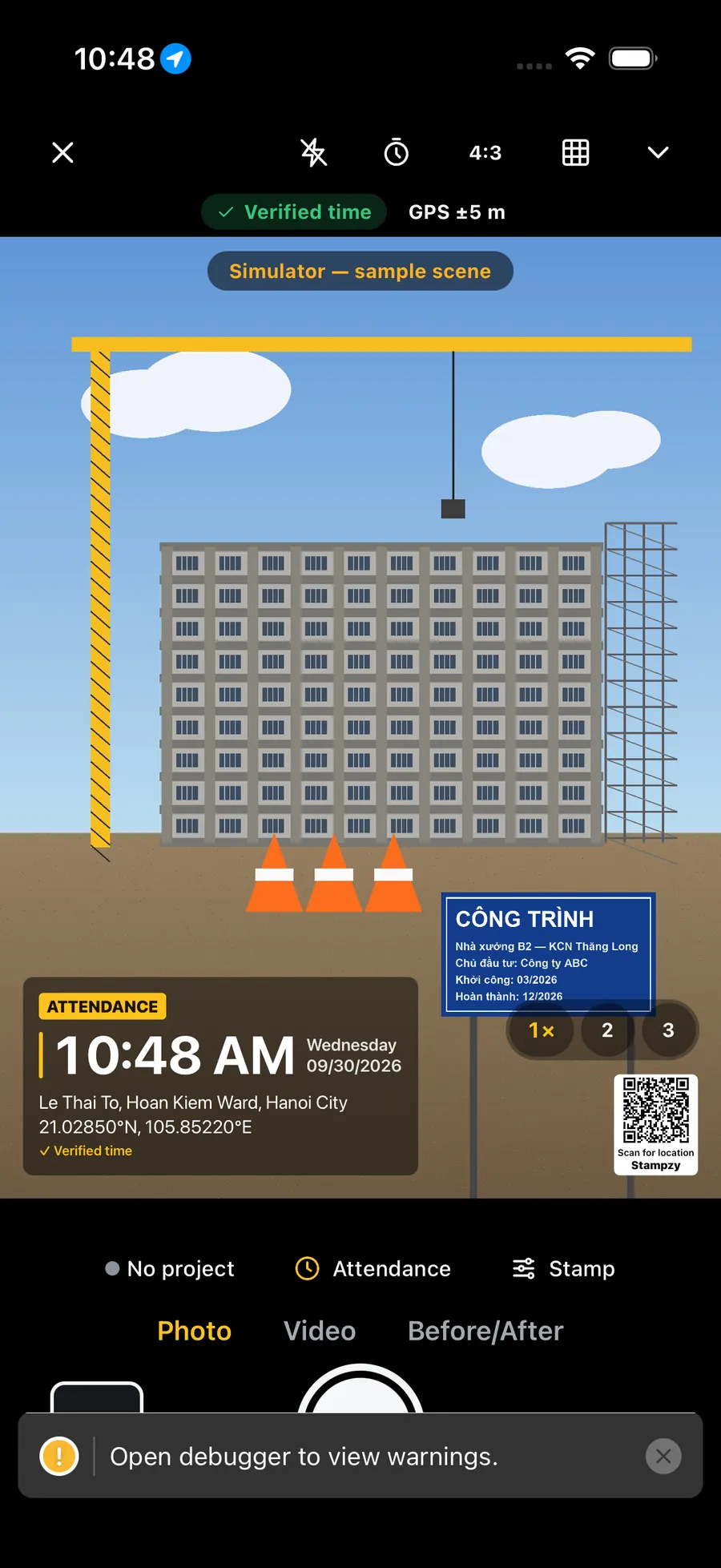
Real screenshots of Stampzy on the iPhone simulator; the viewfinder shows the simulator's sample scene.
Ten seconds of a working day
0s
Open from Control Center
One tap from Control Center or the Lock Screen (iOS 18) — no hunting for the app.
2s
Shoot
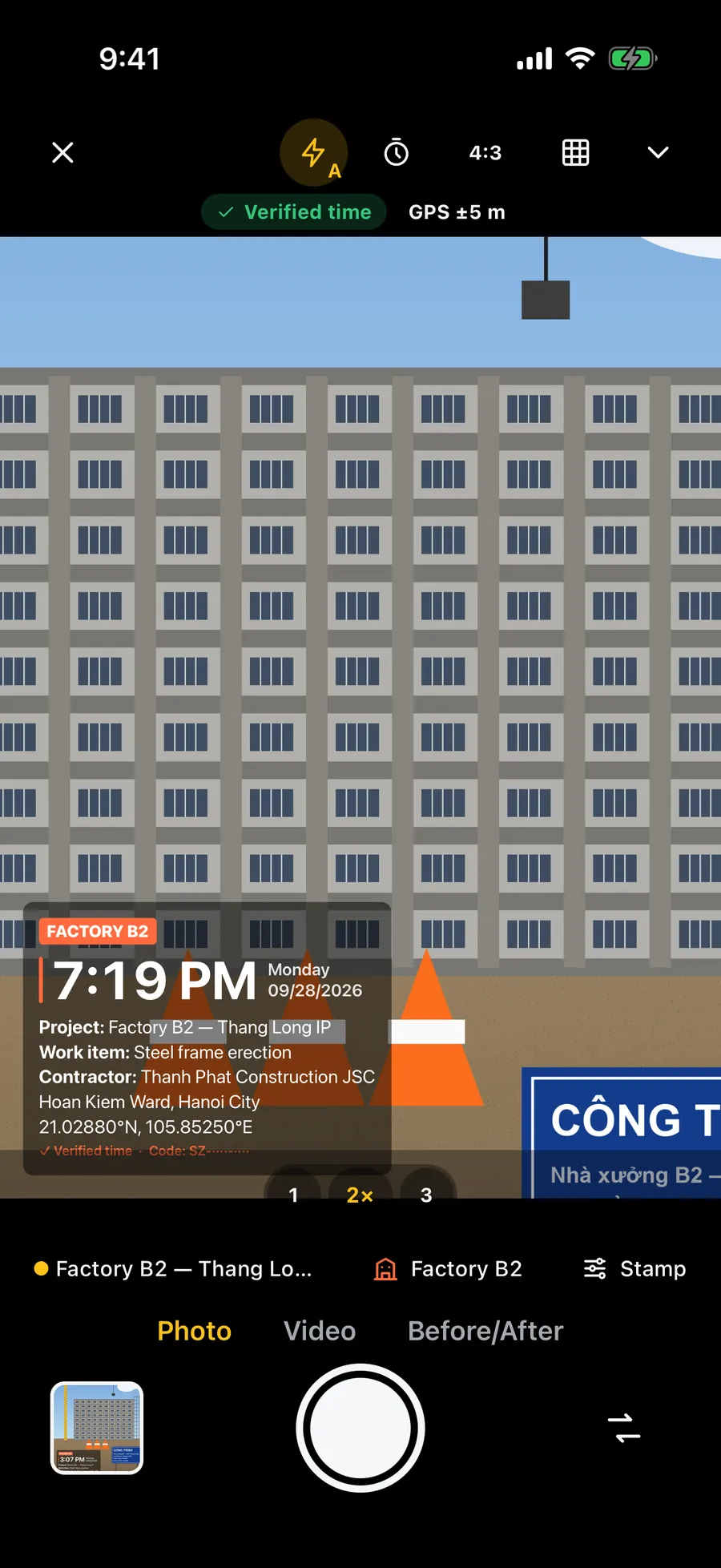
The stamp is already on the viewfinder — what you frame is what you get.
3s
Right time, new address
Time checked against network time; commune and province in the post-1/7/2025 structure.
8s
Daily report
The day's photos gathered into one tidy report.
10s
Send it on Zalo
Share to Zalo, Mail or any app. Whoever gets the photo scans its QR to see the place.
The new address after the merger
No more “District”, no more old provinces on your photos.
Since 1 July 2025 Vietnam has 34 provinces and 3,321 communes and wards, and the district level is gone. Many cameras still print the old address because they rely on map services that have not caught up. Stampzy carries the new boundary data and works it out on your iPhone.
Old-style address
Phường Tràng Tiền, Quận Hoàn Kiếm, Hà Nội
Stampzy prints
Phường Hoàn Kiếm, Thành phố Hà Nội (in English: Hoan Kiem Ward, Hanoi City)
34 provinces, 3,321 communes
Boundary data for the structure in force since 1/7/2025 ships with the app. Two levels: commune/ward and province/city.
Offline, in under a tenth of a second
From the GPS fix, Stampzy finds the commune and province on the device — on a remote site or in a basement with no signal.
Online, it adds the street
With a connection, Apple's map service can add the house number and street. If it still returns an old commune or province, Stampzy keeps the new-structure result.
Right at the boundary between two communes, the result depends on GPS accuracy. The address line is always on the viewfinder before you shoot, so you can check it.
Location QR
They scan the QR on the photo and see the time, the address and the way there.
On free photos, the small “Stampzy” mark in the corner becomes a “Scan for location” QR code. Whoever you send the photo to on Zalo scans it with the iPhone camera or Zalo's scanner and gets the time it was taken, the address, the coordinates and directions — no app, no account.
The QR holds only what the stamp prints: the time, plus the address and coordinates if the stamp shows them. It sits after the # of the link, so it is never sent to a server.
Directions open in Google Maps or Apple Maps; the coordinates copy in one tap.
The QR appears only when the stamp prints an address or coordinates; otherwise the photo keeps the small “Stampzy” mark.
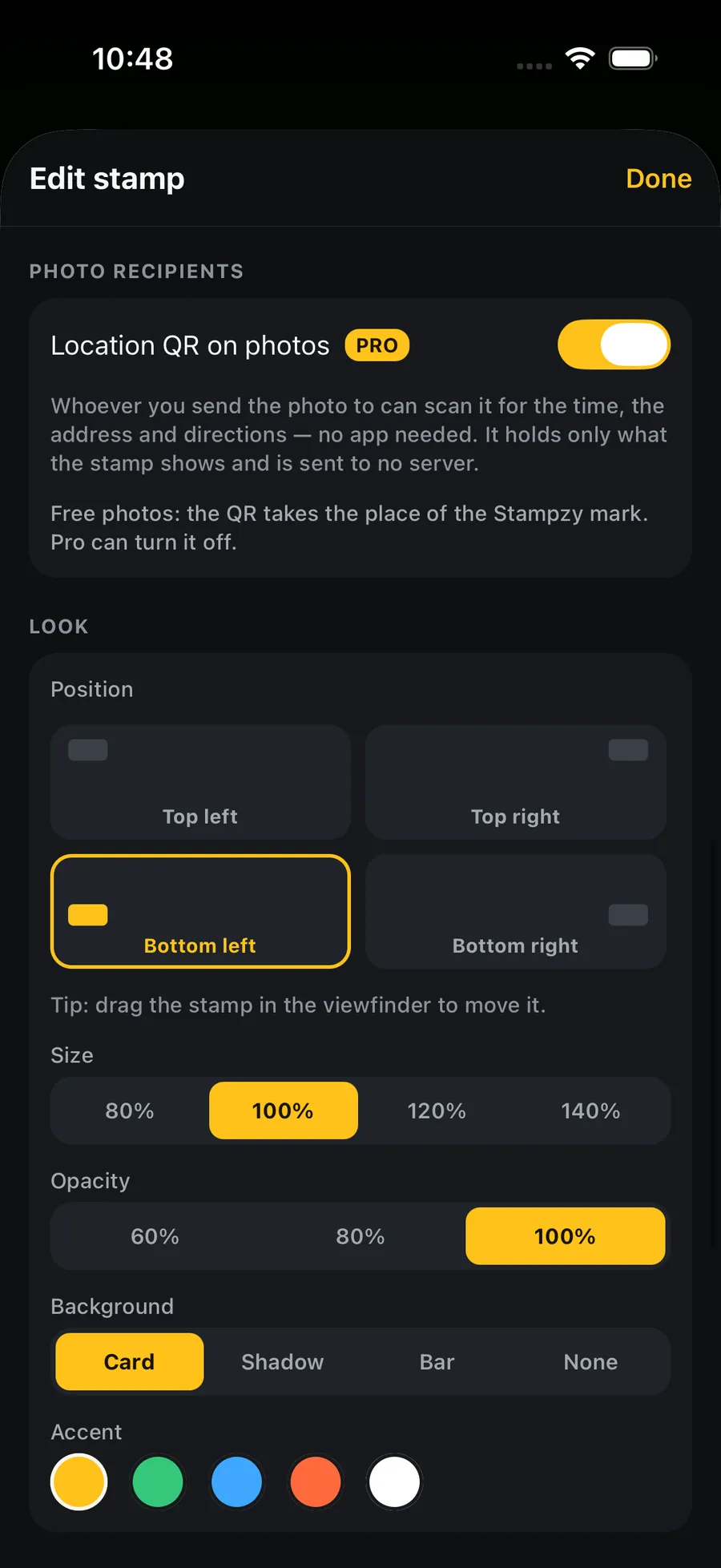
Stampzy Pro photos carry no QR; switch on “Location QR on photos” in the stamp editor if you want one, without the word Stampzy.
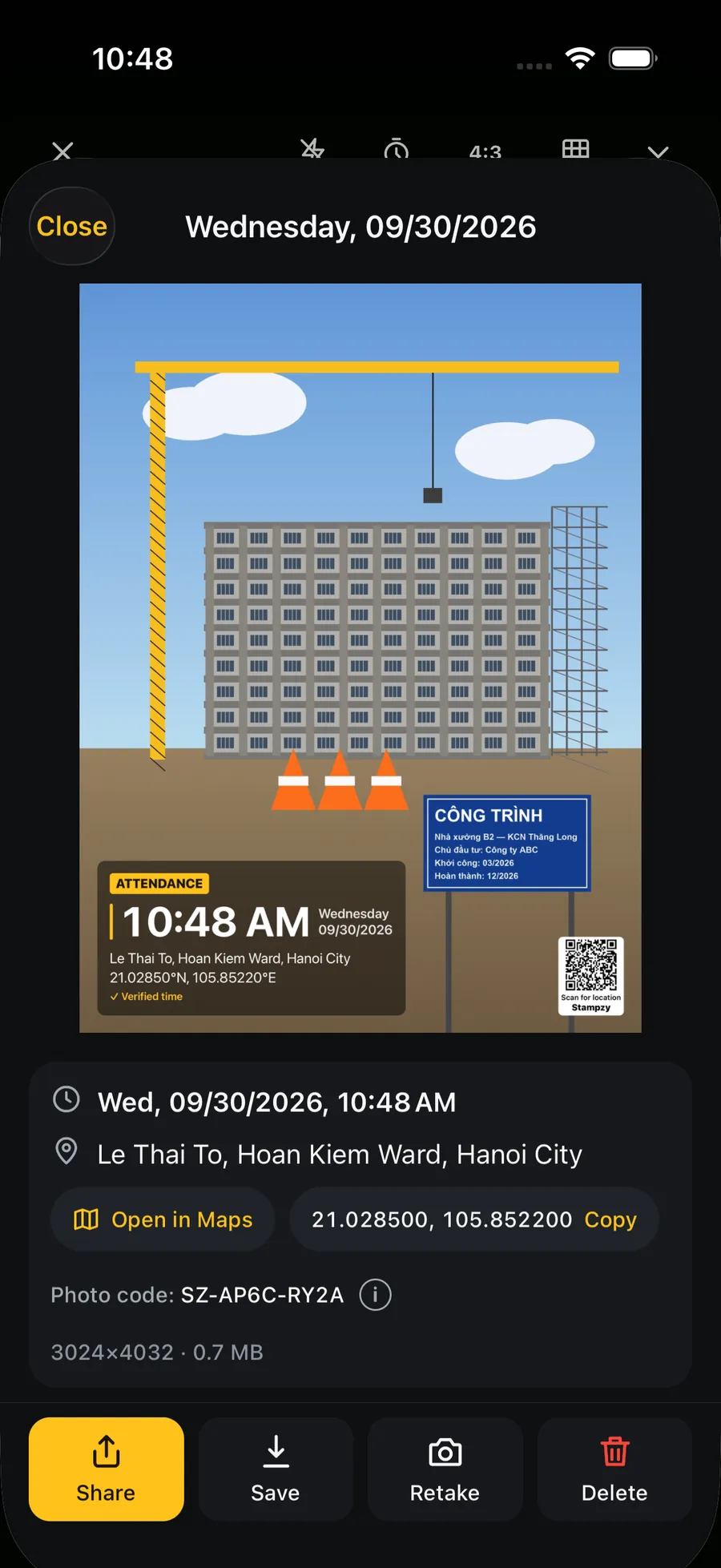
An example from a sample photo taken in Hoan Kiem Ward. The page shows only what the QR contains and does not confirm a photo is genuine.
Work templates
Templates for the work you do every day.
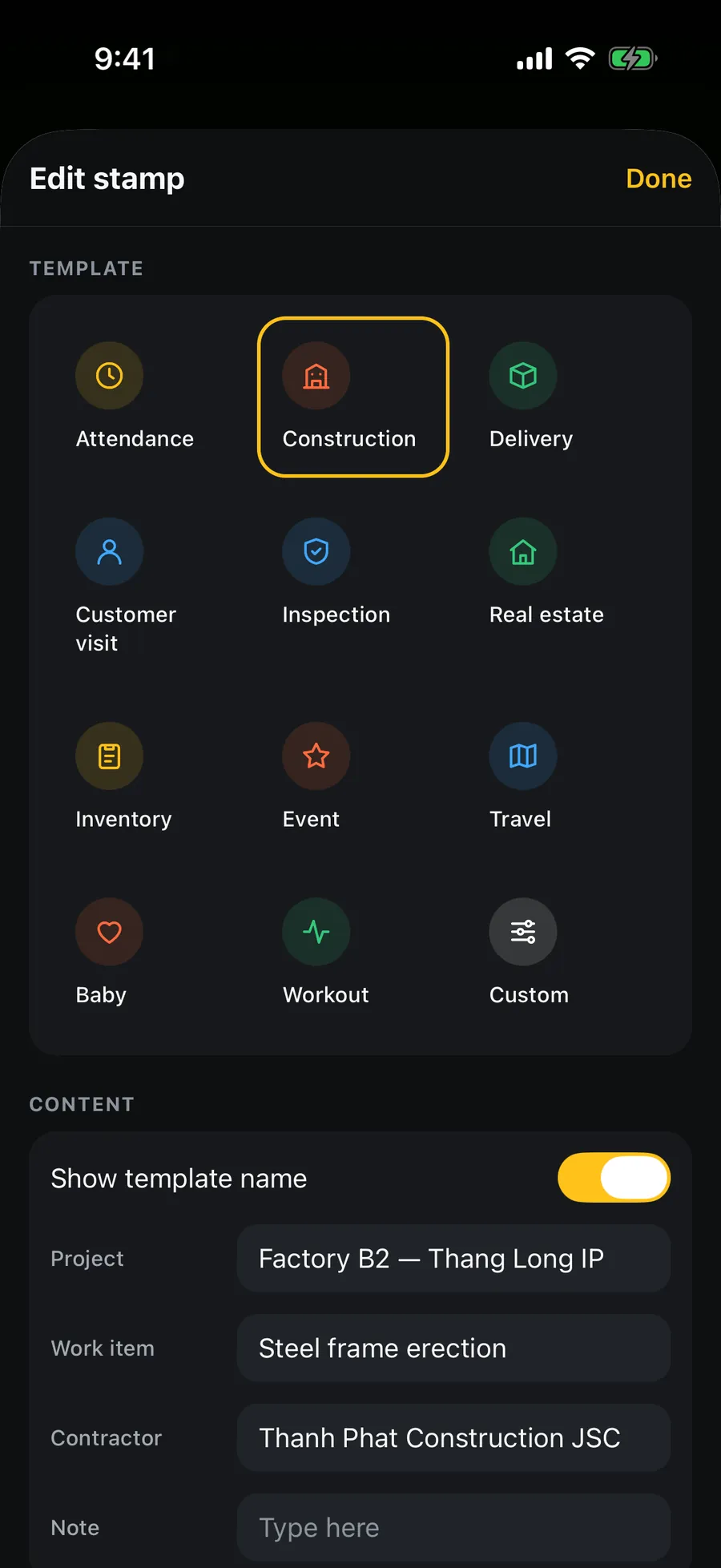
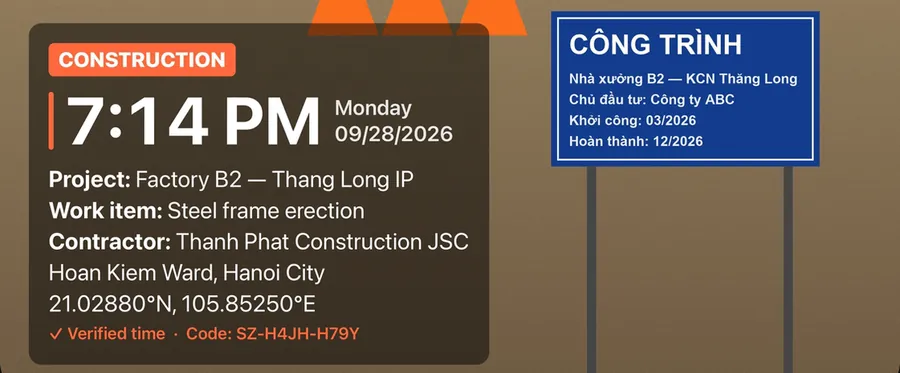
Each template picks the fields that job needs — name, project, order code, customer — so you fill them in once and shoot. Three templates are free; the other nine come with Stampzy Pro.
Attendance
Free
Name · Check-in / out · Place
Construction / Acceptance
Free
Project · Work item · Inspector
Delivery
Pro
Order code · Recipient · Drop-off address
Customer visit
Pro
Customer · Purpose · Check-in time
Inspection / Insurance
Pro
Case number · Assessor · Coordinates
Real estate
Pro
Unit · Area · Condition
Inventory
Pro
Warehouse · SKU · Quantity
Event
Pro
Event · Venue · Time
Travel
Pro
Place · Date · Note
Baby
Pro
Name · Age · Lunar date
Workout
Pro
Session · Numbers · Note
Custom
Free
Your own text lines
The fields above are examples; add or remove lines, drag the stamp anywhere, and change its size, opacity and background.
Camera
A sharp photo first, a neat stamp second.
Full resolution
HEIC or JPEG at the highest resolution your iPhone offers; the stamp is drawn at the photo's own resolution, not the preview's.
What you see is what you get
The stamp is drawn live on the viewfinder by the same renderer that burns it into the file. Portrait and landscape both come out the right way up.
Video with a running clock
Record video with a stamp that ticks every second, sound included, burned in while you record.
The fields you need
Vietnamese time formats, lunar date, decimal or degree-minute-second coordinates, altitude, GPS accuracy, your logo.
Video and logo are part of Stampzy Pro.
Lenses, flash, the front camera — and a quick way in
Switch lenses, zoom
One button per lens your iPhone has — ultra wide 0.5, 1×, telephoto — or pinch to zoom. Flash on, off or auto, right in the top bar.
Front camera
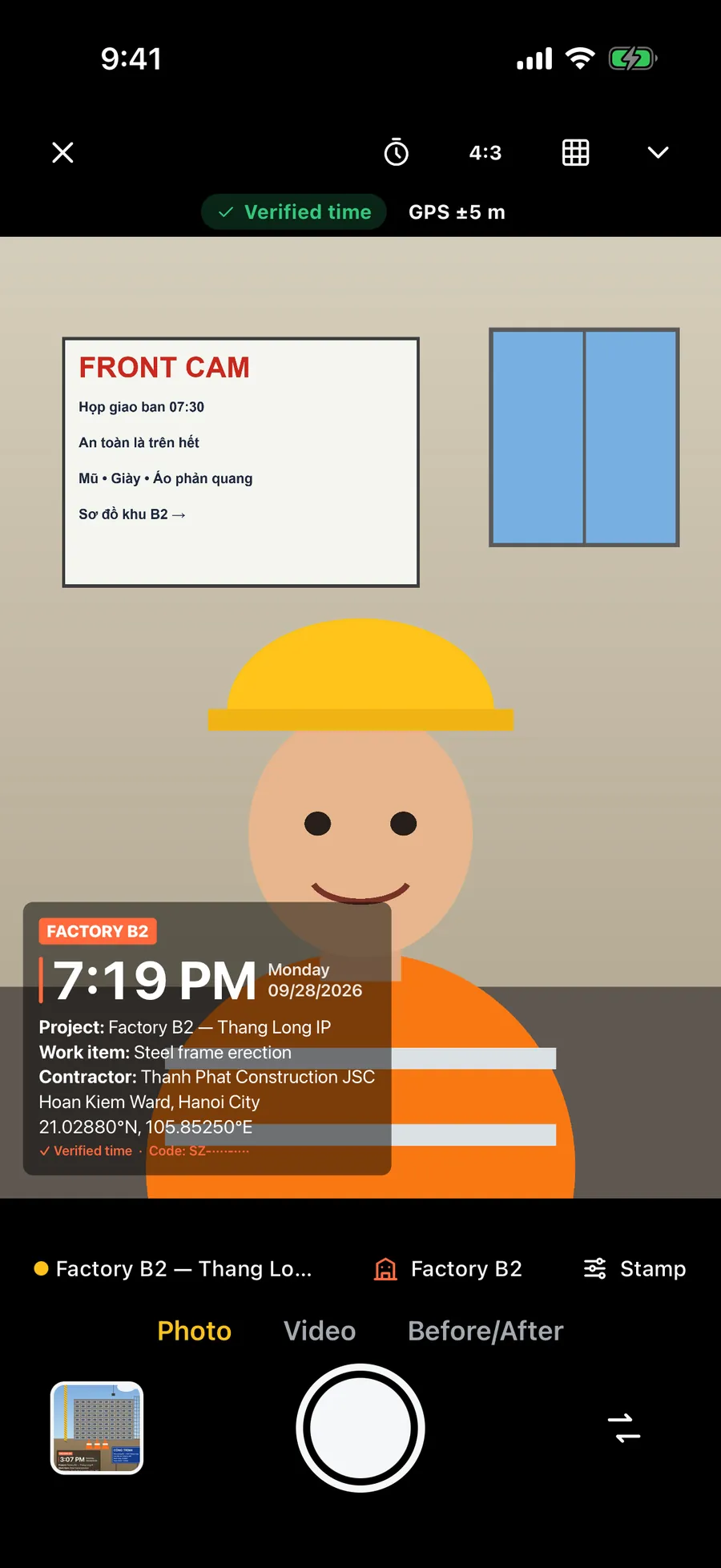
Flip to the front camera when you need to be in the shot on site — the stamp stays on the viewfinder.
Open from Control Center
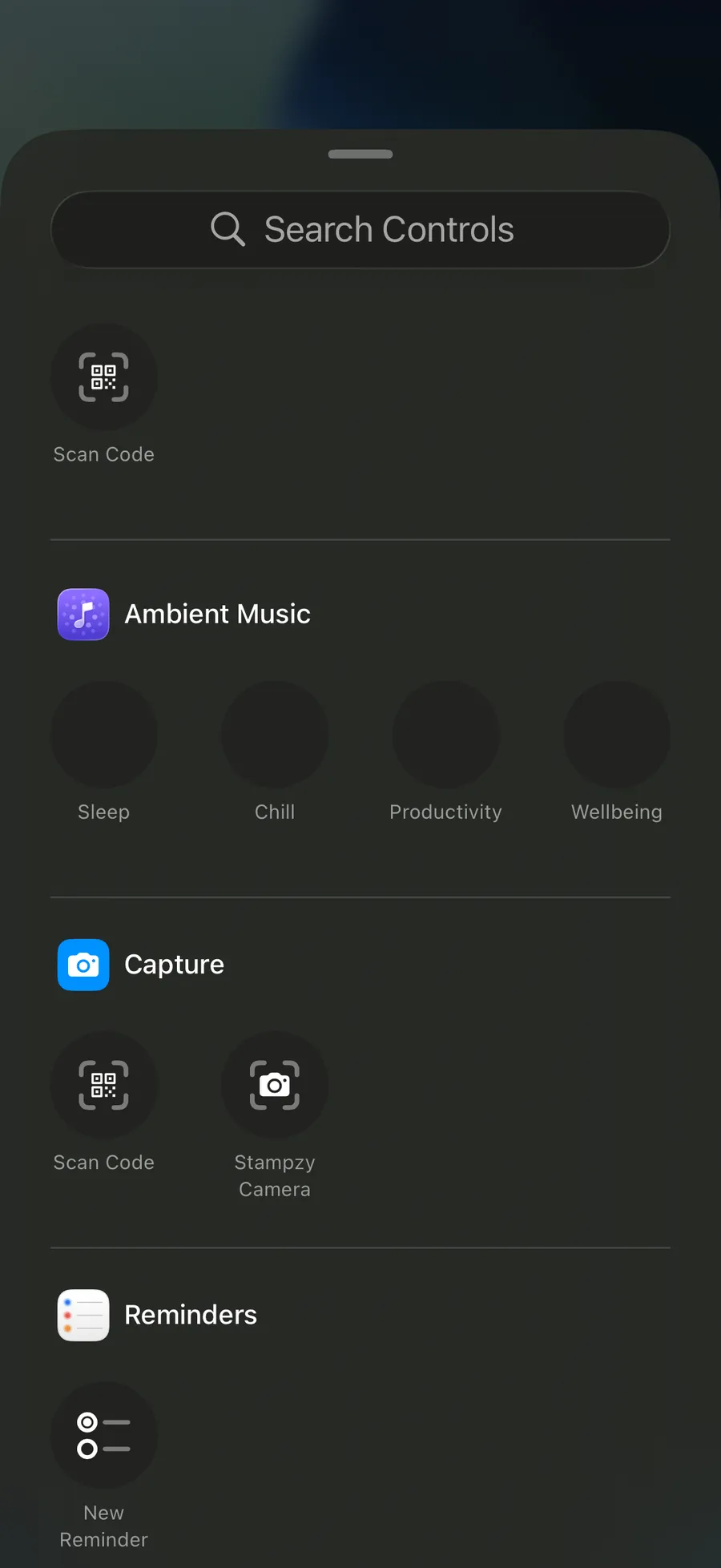
Add the Stampzy Camera control to Control Center or the Lock Screen (iOS 18) to open the camera in one tap.
A light tap of haptics when you press the shutter, when the photo is saved and when you switch lenses. “Saved” shows at the top edge of the frame, the controls stay clear of the stamp, and tapping the thumbnail opens the photo you just took.
Verified time
The time on the photo tells the truth about itself.
Changing a phone's clock is easy. So Stampzy compares the device clock with network time, and the stamp says which one it used.
Verified time
Network time was checked in the last 24 hours and the clock has not been changed since. Stampzy uses network time, even if there is no signal when you shoot.
Device time
Network time could not be checked recently. The stamp still shows the time, and says plainly that it is the phone's clock.
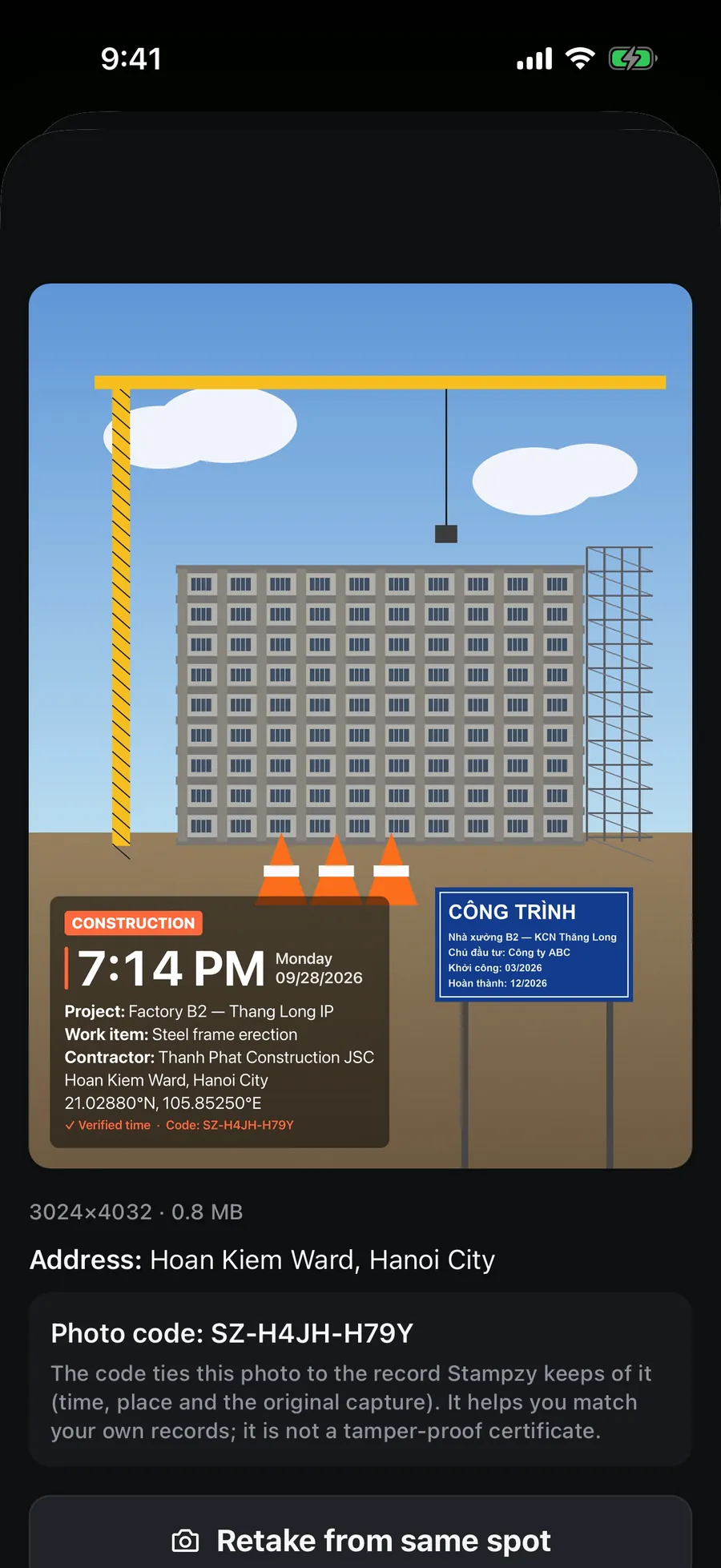
Photo code: a consistency code for your records
Pro
Each Pro photo can carry a short code computed from its time, coordinates and image content. Use it to match a photo against your own records — does this photo agree with what it said when it was taken?
The photo code is a consistency code, not a tamper-proof certificate, and “Verified time” is not legal evidence.
Your photos
Find a photo by ward or by day — offline.
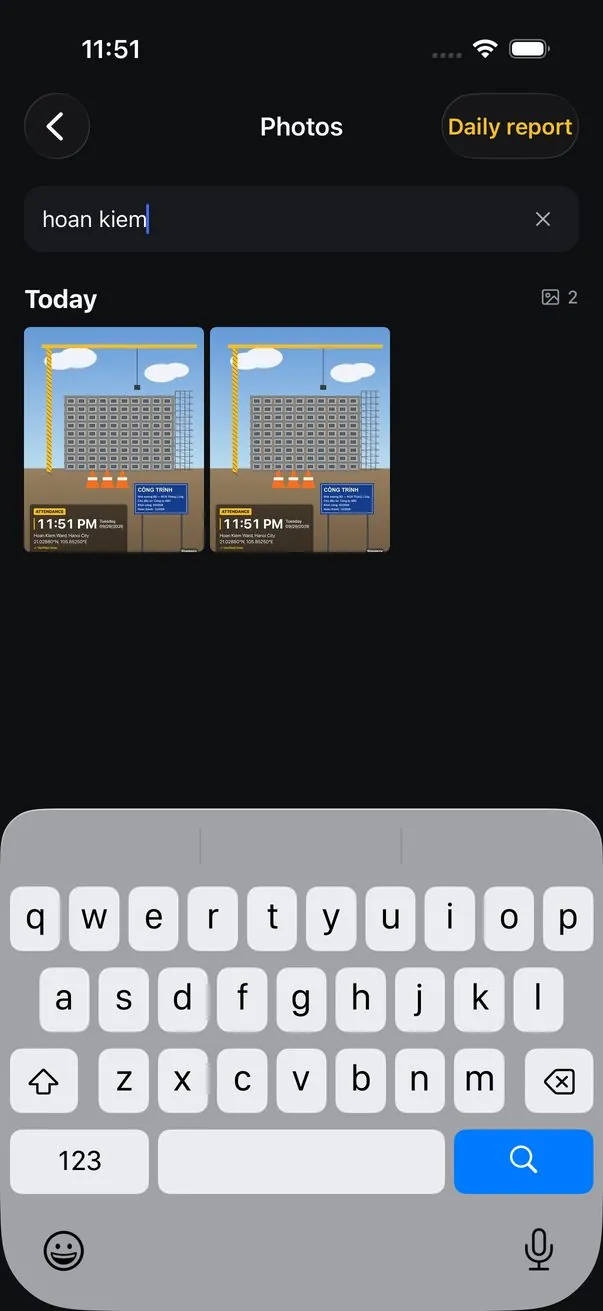
Photos taken with Stampzy are grouped by day. Type a ward, a province, a date or a photo code to filter, with or without Vietnamese accents: “hoan kiem” finds “Phường Hoàn Kiếm”. Open a photo to see its time and address, then swipe to the next one.
Open in Maps drops a pin where the photo was taken, or copy the coordinates to paste into Google Maps or Zalo.
The photo code, when there is one, sits with the time and address, with a note on what it is for.
Share, save to Photos, retake from the same spot or delete, right from the viewer.
Search runs entirely on your iPhone; what you type never leaves it.
Projects
Photos land in the right project by themselves.
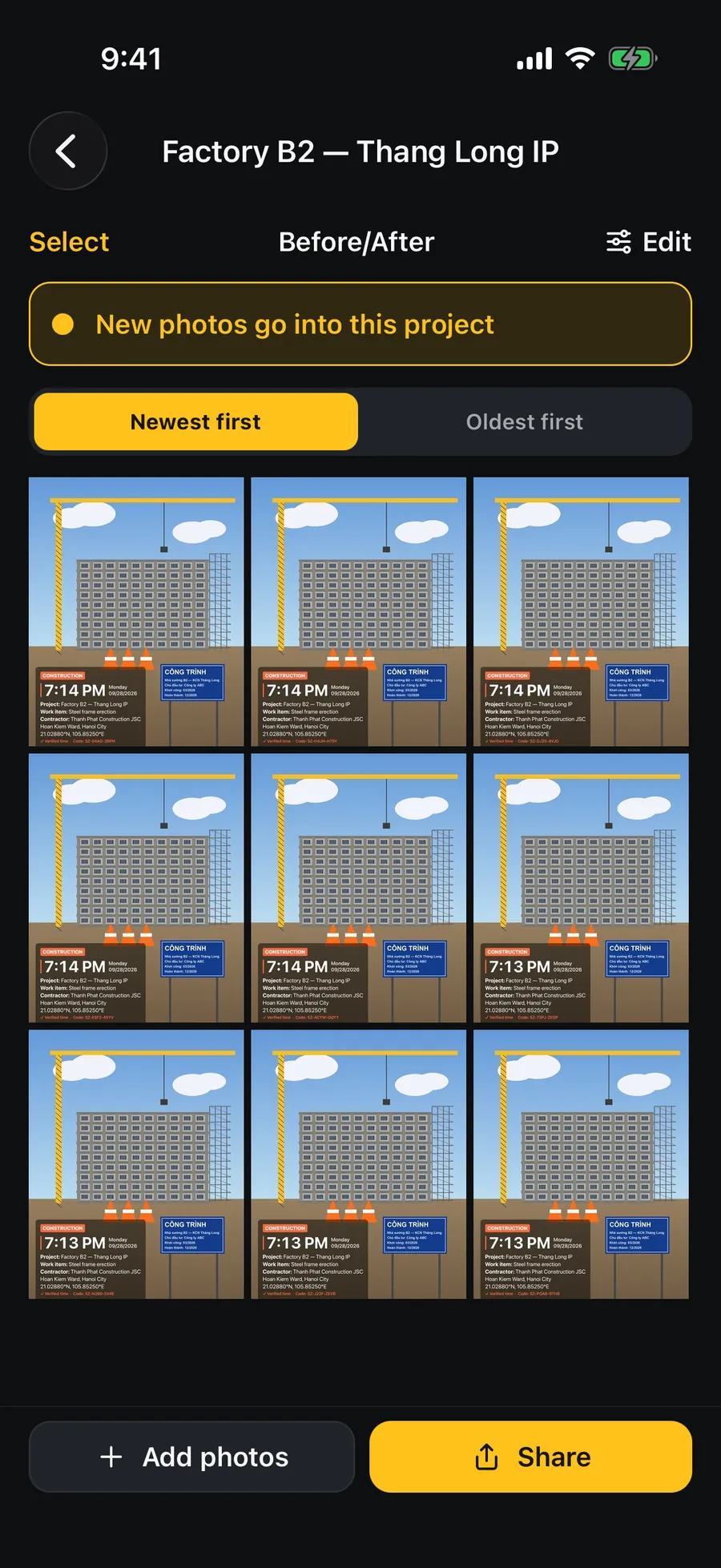
Create a project — site name, contractor, a default work item — and choose “Use for new photos”. Every photo after that carries the project on its stamp and is filed in the project's folder.
The stamp's Project line takes the project's name; the other lines fill in when you pick the project.
Browse by day, select several photos to share, move or copy them to another project.
The free version has 1 project with unlimited photos; Stampzy Pro has unlimited projects.
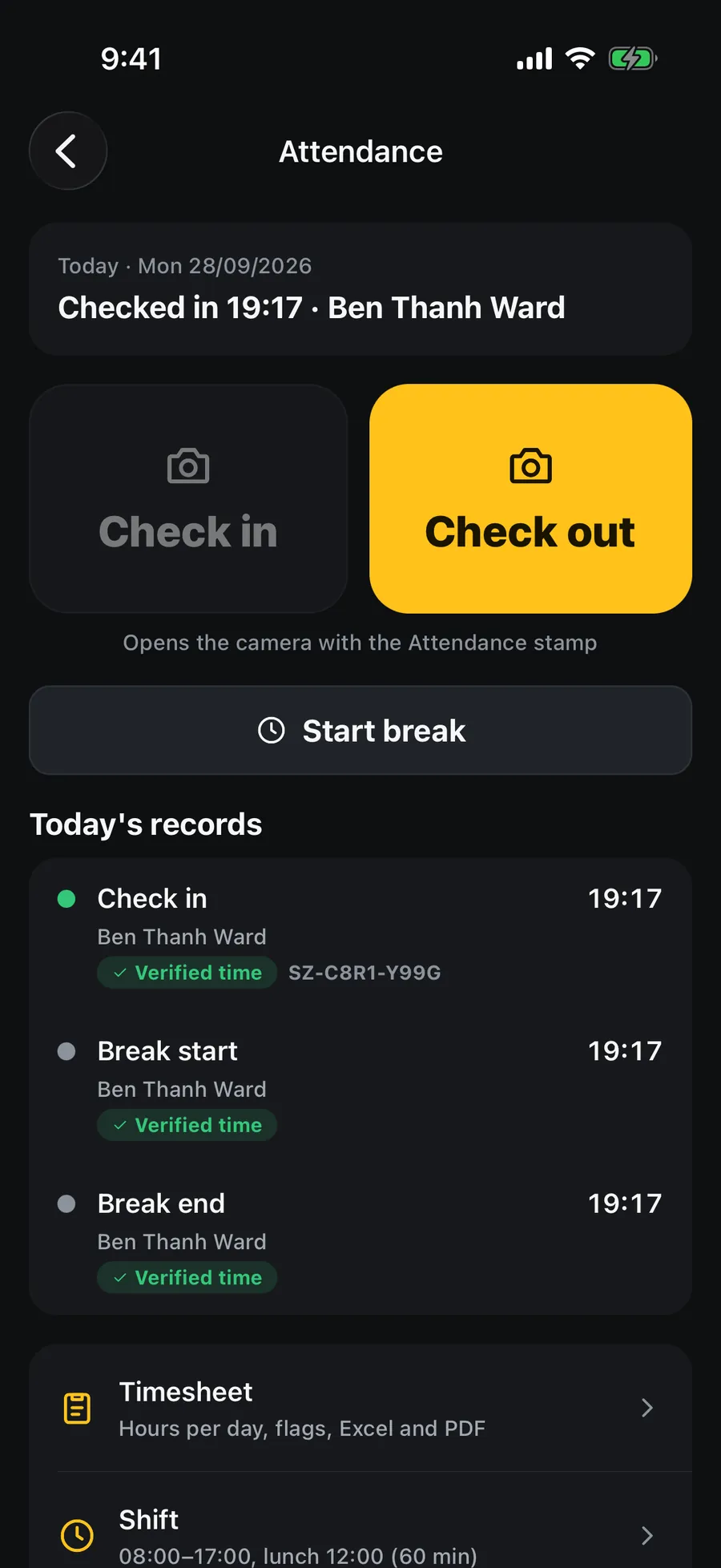
Attendance
Check in and out with one photo. A timesheet at the end of the month.
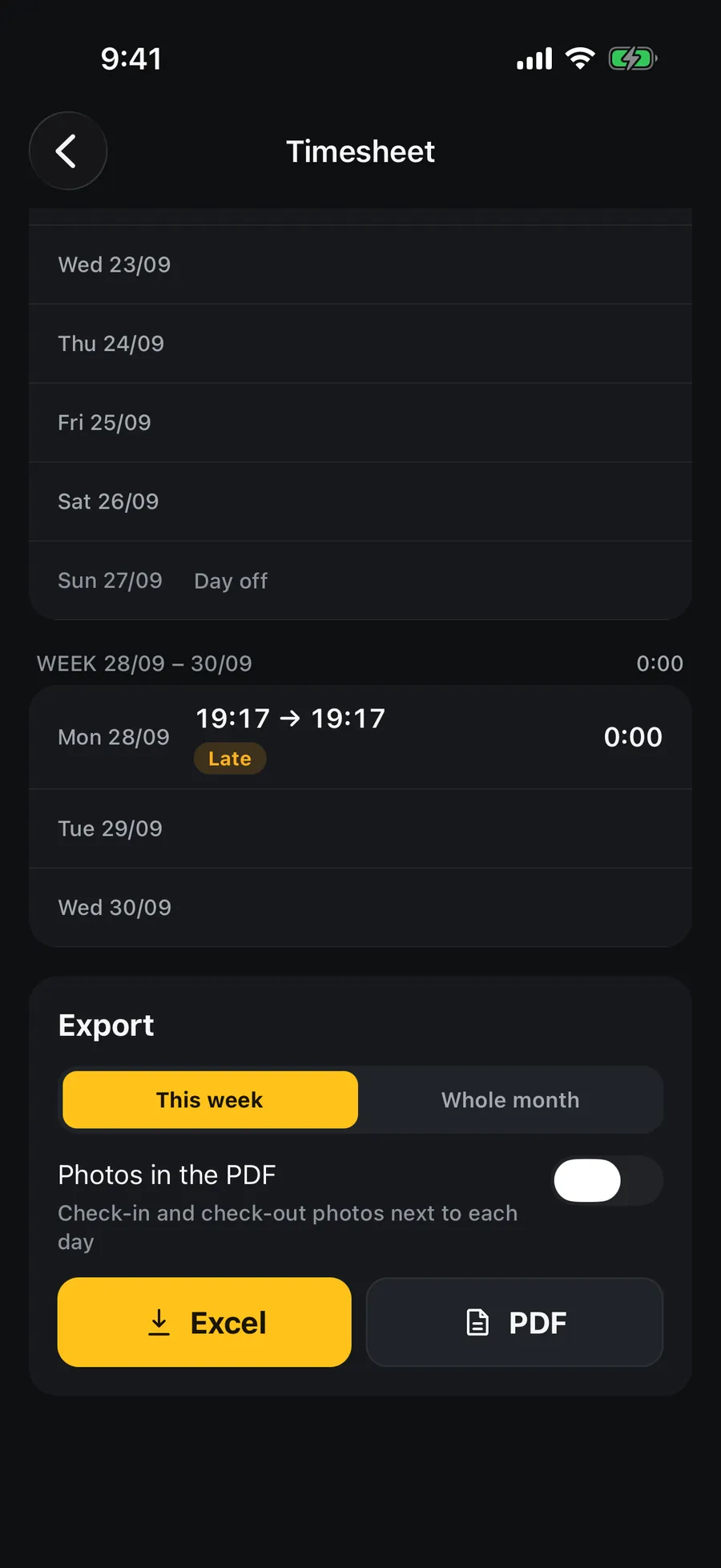
Tap Check in: the camera opens on the Attendance template, and one photo records when and where you were. A break is one tap. The timesheet works out each day's hours, flags late arrivals, early leaves and missing check-outs — then exports to Excel or PDF for accounting.
The time comes from the photo itself, labelled Verified time or Device time.
Forgot to check out? Fix it by hand with a required note; the timesheet marks it “Edited manually”.
A night shift counts on the day it started; lunch is deducted according to your shift settings.
Exporting this week is free; exporting the whole month is part of Stampzy Pro.
Before / after
Retake from the same spot and compare progress in one picture.
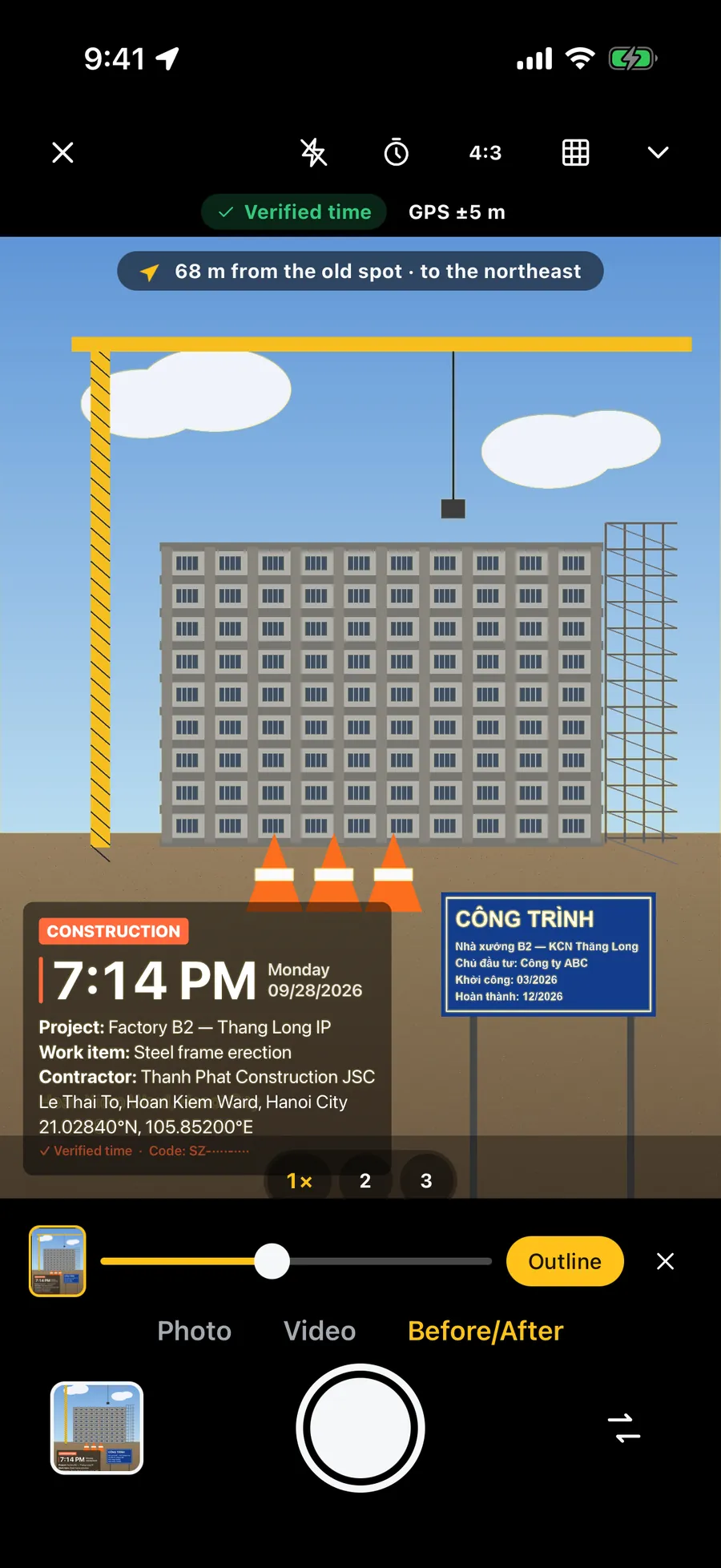
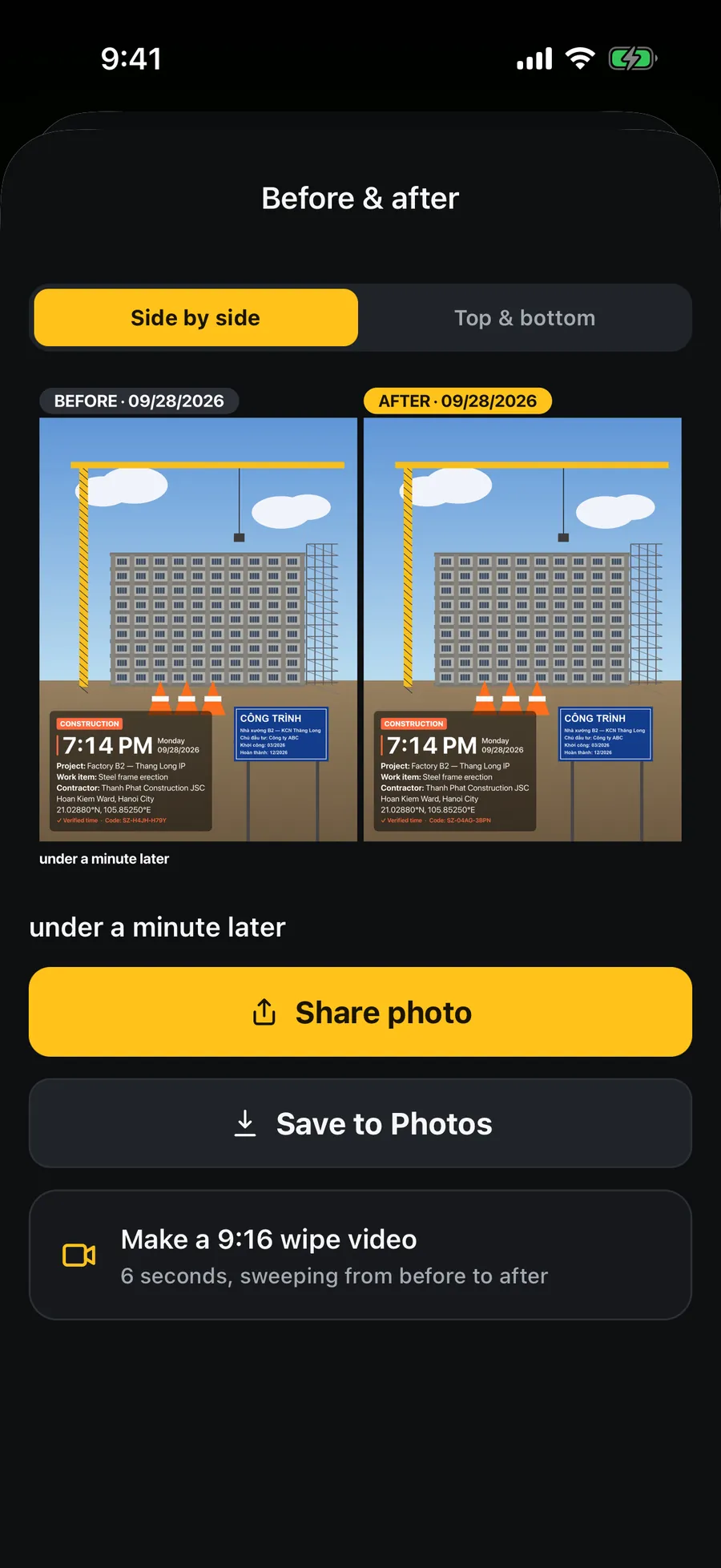
Open an old photo and tap “Retake from the same spot”: the old photo appears as a ghost over the viewfinder (or as an outline), with the distance and direction to where you stood last time. Shoot, and Stampzy puts before and after together, side by side or stacked.
“68 m from the old spot · north-east” — walk to the right place before you shoot.
The composed picture labels each photo's date and the time between the two.
A 9:16 wipe video from before to after is part of Stampzy Pro.
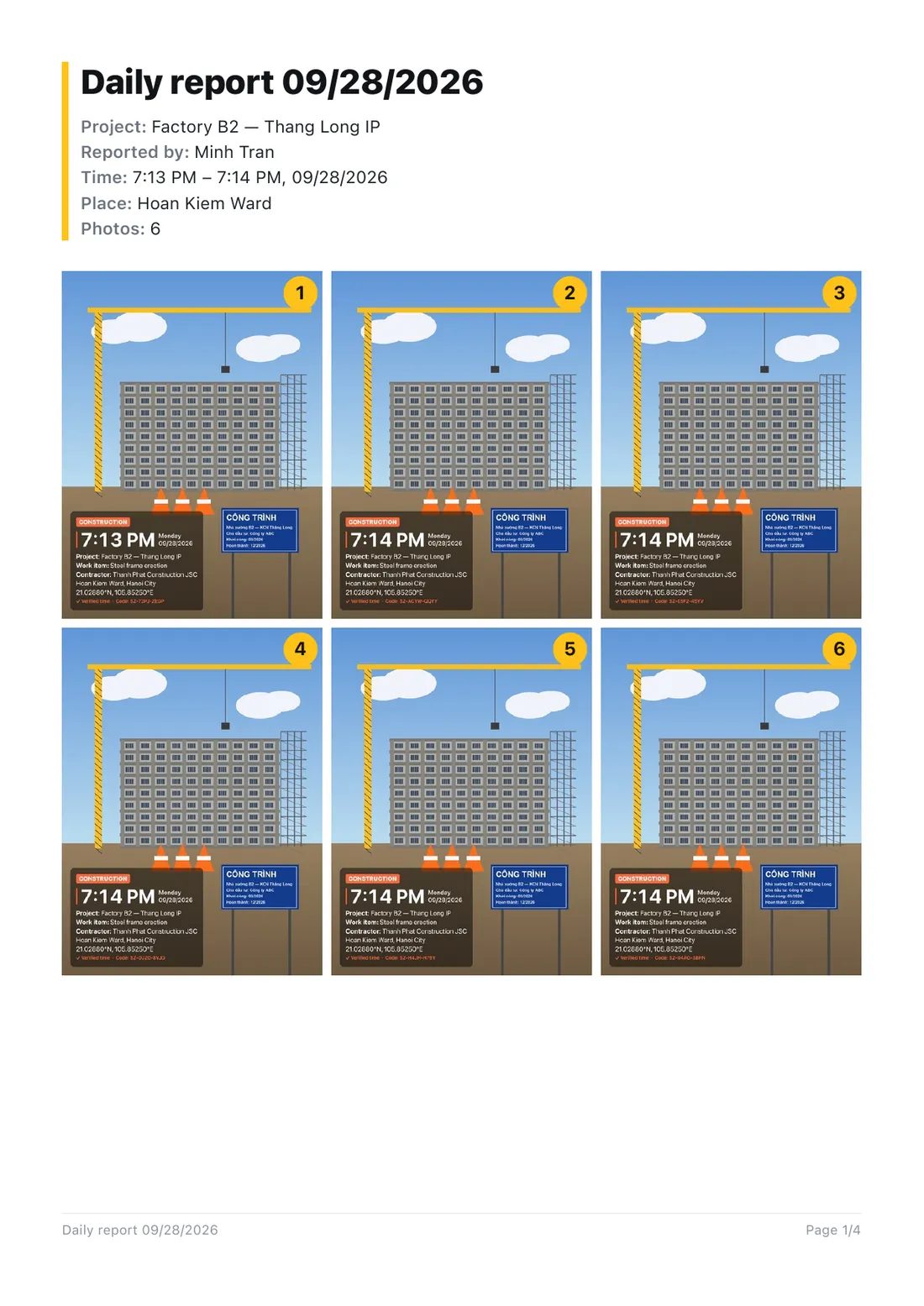
The first page of an A4 PDF report, exported straight from the app.
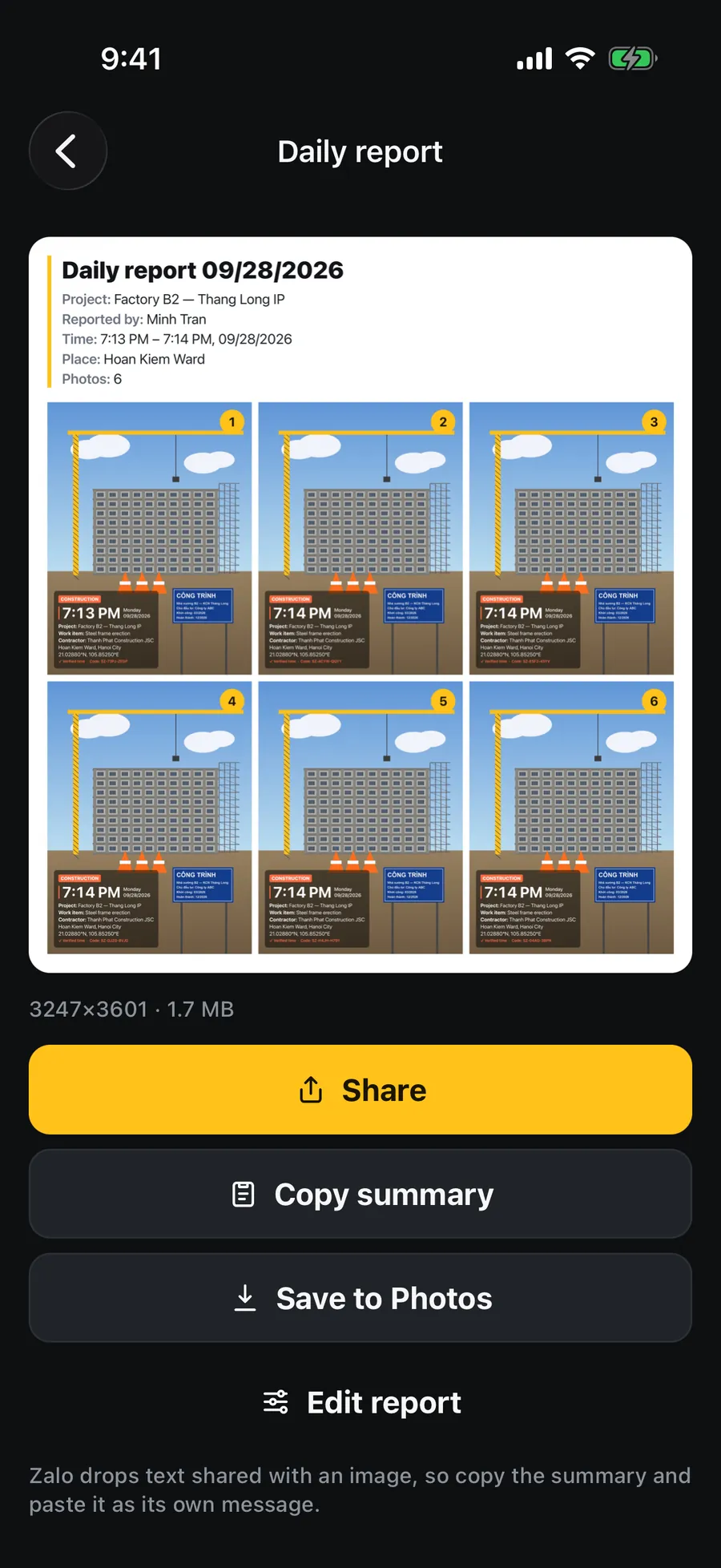
Daily report
At the end of the day, one report instead of thirty loose photos.
The day's photos become one image or an A4 PDF report: title, project, reporter, time span and place, then the stamped photos numbered in time order. Send it to the site manager, the owner or your boss on Zalo in a single share.
01
Pick the photos
Tap “Today's photos” or pick them one by one; they are always ordered by the time on the stamp.
02
Review
Set the title, project and reporter; choose an image or an A4 PDF, and the layout.
03
Share
The iOS share sheet opens — pick Zalo, Mail, AirDrop or save to Files.
The report is made on your iPhone. The free version combines up to 4 photos; PDF and larger reports are part of Stampzy Pro.
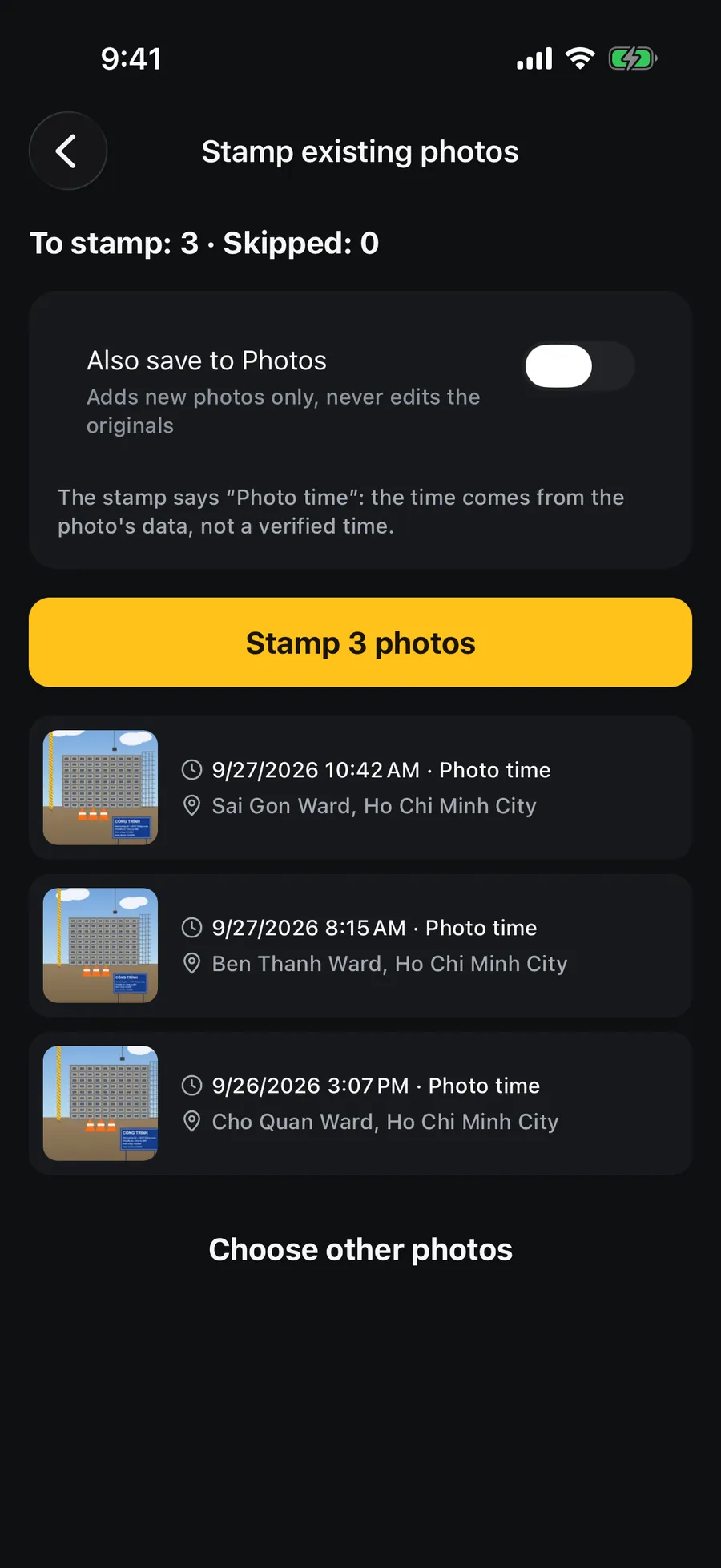
Stamp old photos
Forgot to use the stamp camera? Stamp them in a batch later.
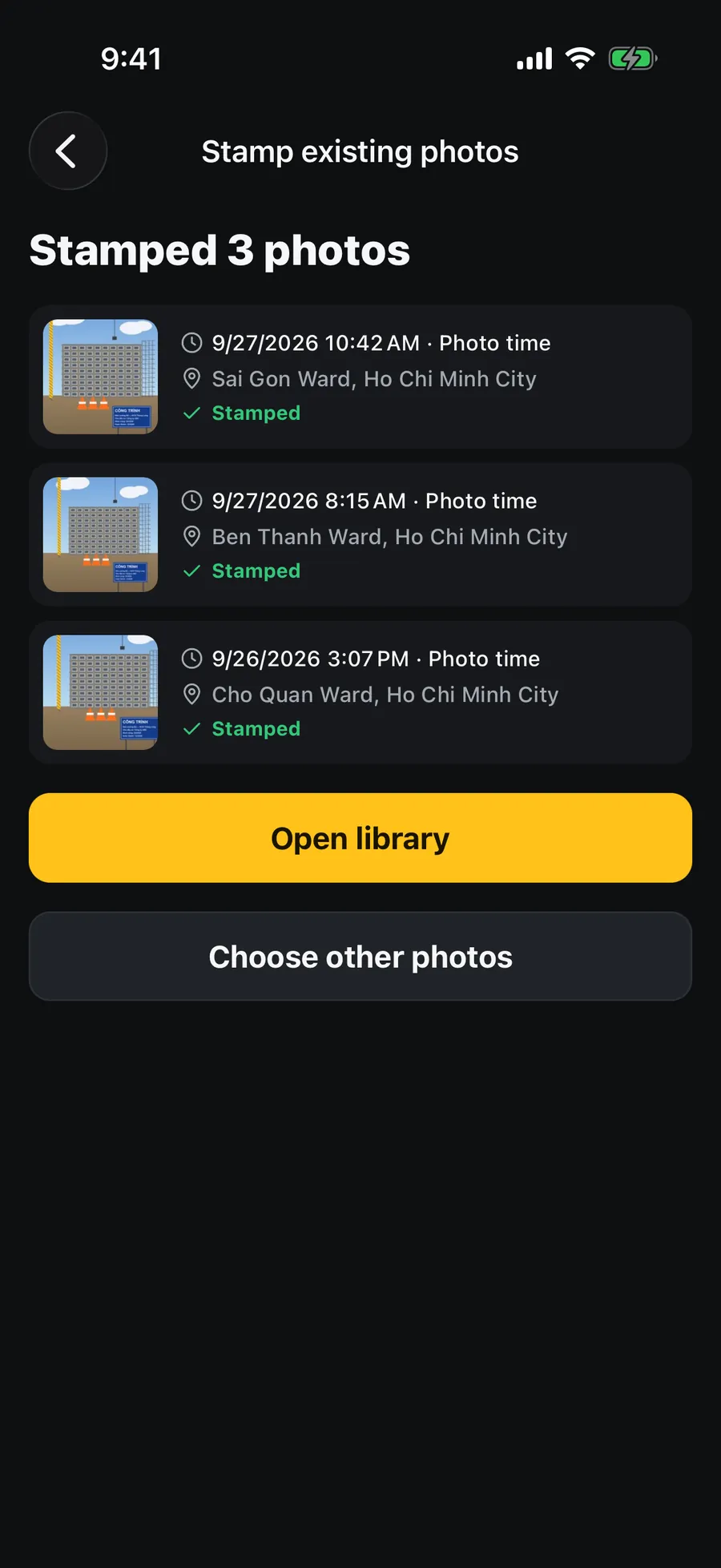
Pick photos you took with the regular camera; Stampzy reads the time and location stored in them and stamps them with the template you choose — many at once, originals untouched.
Time and address come from the data already in the photo, and the stamp says so — never a false “Verified time”.
Only the photos you pick in the iOS photo picker are handed to the app.
Stamped photos are saved as new copies; the originals are not modified.
Share templates by QR
Make a template once. The whole crew uses it.
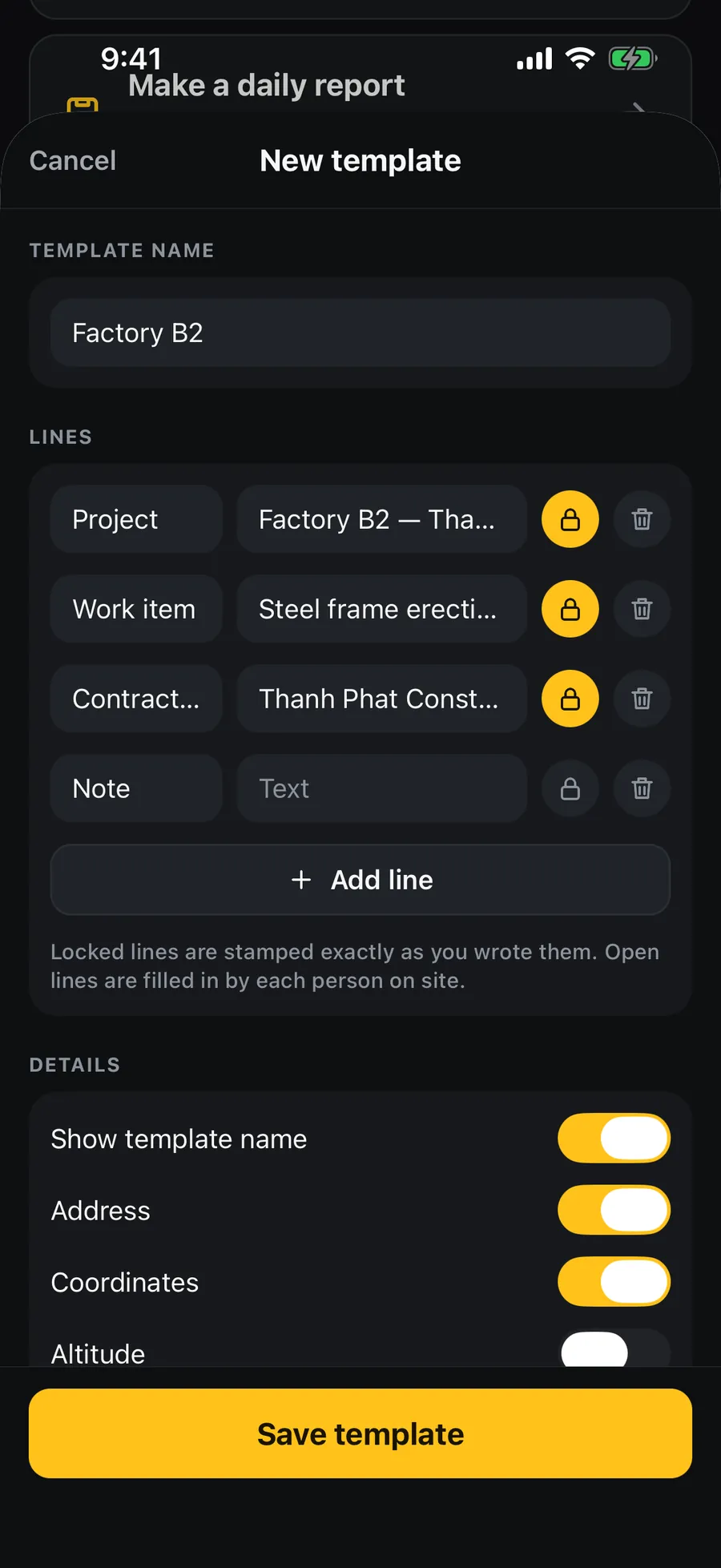
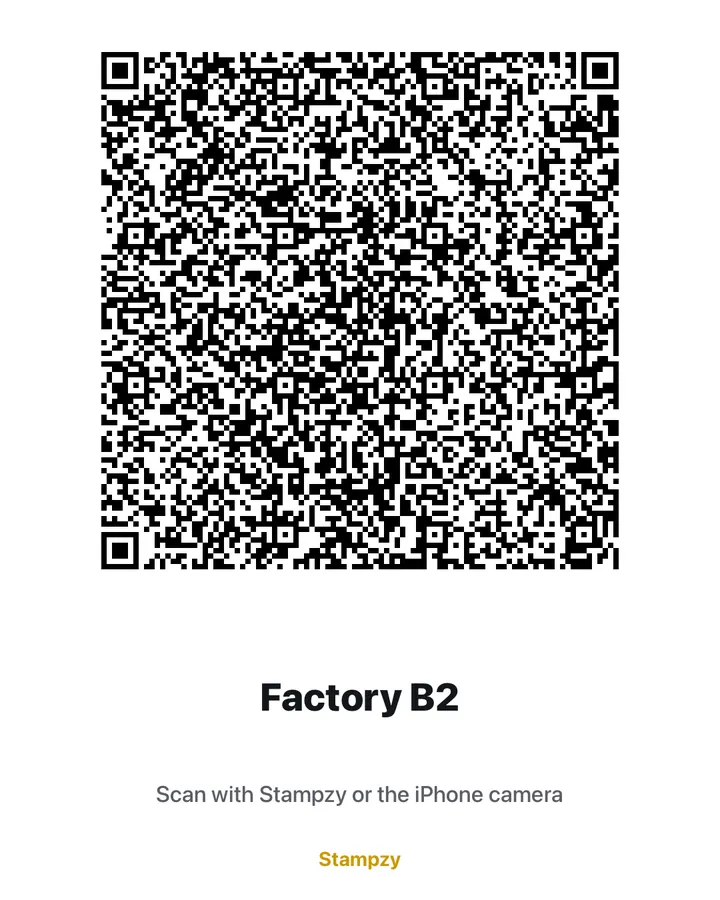
The site lead creates a template under My templates: project name and contractor locked, the other lines left for each person to fill in. Send it on Zalo as a link, a .stampzy file or a QR card — the receiver adds it in one tap.
Locked lines print exactly as you wrote them for the whole crew; open lines are filled in by each person when they shoot.
Scan the QR card with Stampzy or the iPhone camera.
Using a shared template is free. No account, no server in between.
Privacy
Your photos stay on your iPhone.
Stampzy has no server of its own and no account. Everything — capture, address lookup, stamping, reports — happens on the phone.
Nothing is uploaded
Photos and videos are stored in the app and, if you allow it, in the Photos app. They leave the phone only when you share them.
Location is only for the stamp
Commune and province are worked out on the device. Online, the coordinates may be sent to Apple's map service for the house number and street.
No ads, no tracking across apps
No ad SDK, no advertising ID, no tracking across other apps. Anonymous usage statistics (Google Analytics for Firebase) help us improve the app and never include your photos, places or notes — turn them off in Settings.
Add-only access to Photos
Stampzy only asks to add photos to your library; it never reads it. RevenueCat handles Pro purchases with an anonymous ID.
Free to shoot, without limits.
The free version is genuinely useful: sharp photos, the new address, verified time, unlimited photos. Stampzy Pro removes the small corner mark and unlocks the full toolkit for work. No weekly plan.
Free
$0
Unlimited photos at full quality
3 templates: Attendance, Construction / Acceptance, Custom
Offline new address, coordinates, altitude, lunar date
“Verified time” label
Attendance, and exporting this week's timesheet
1 project, 1 template of your own, any shared template
Image reports of up to 4 photos, before/after pictures
A small “Scan for location” QR or “Stampzy” mark in the corner
Stampzy Pro
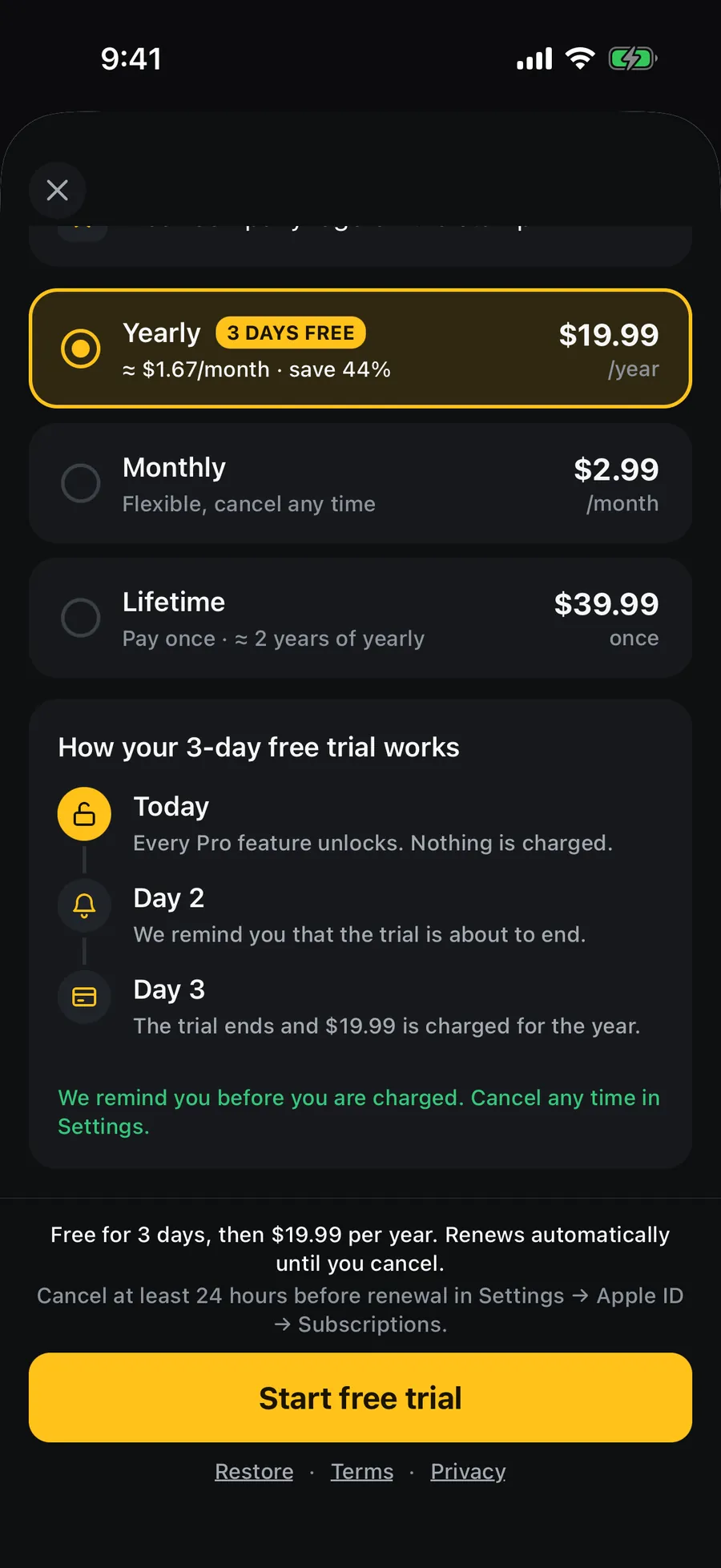
3-day trial on yearly
Monthly
From
US$2.99
/ month
from 49.000₫ in Vietnam
Renews every month. Cancel any time.
Yearly
From
US$19.99
/ year
from 299.000₫ in Vietnam
First 3 days free for eligible users, then renews every year.
Lifetime
From
US$39.99
once
from 499.000₫ in Vietnam
Pay once. Never renews.
No Stampzy mark on your photos
All 12 work templates
Your logo on the stamp
Photo code for your records
Video with a live time stamp
Daily PDF report
Batch stamp old photos
Whole-month timesheet (Excel, PDF)
Unlimited projects and templates of your own
Before/after wipe video
The Stampzy Pro screen in the app: the yearly plan with its 3-day trial timeline.
Prices are starting prices; the App Store shows the final price for your country before you confirm. Monthly and yearly are auto-renewing subscriptions billed to your Apple ID: you are charged when you confirm (or when the yearly plan's 3-day trial ends), and every period after that, unless you cancel at least 24 hours before renewal in Settings › [your name] › Subscriptions. Lifetime is a one-time purchase.
Frequently asked questions
Is it really the new address?
Yes. Stampzy ships boundary data for the 34 provinces and 3,321 communes and wards of the structure in force since 1/7/2025, with no district level. Commune/ward and province are worked out on your iPhone from the GPS fix. Online, the app may add the house number and street from Apple's map service; if that service still returns an old commune or province, Stampzy keeps the new-structure result. Right at the boundary between two communes the result depends on GPS accuracy — check the address line on the viewfinder before you shoot.
Does it work without a connection?
Yes. Capture, stamping, coordinates and the commune/province address all work offline. Without a connection there is no house number or street. If network time was checked in the last 24 hours the stamp still says “Verified time”; otherwise it says “Device time”.
Are my photos sent to a server?
No. Stampzy has no server of its own and no account. Photos, videos and reports are made and stored on your iPhone and leave it only when you share them. The only things that go over the network are: coordinates sent to Apple's map service for the street address (when online), a time check against a few large public web servers (carrying none of your data), Pro purchases through RevenueCat with an anonymous ID, and anonymous usage statistics to Google Analytics for Firebase (which features are used — never photos, locations or text; you can turn them off in Settings).
What does “Verified time” mean?
Stampzy reads the time from a few large web servers and remembers how far the device clock is off. For the next 24 hours, as long as the clock is not changed, the stamp uses network time and says “Verified time” — even with no signal when you shoot. Outside that window it plainly says “Device time”.
Does the photo code prove a photo was not edited?
No. The photo code is a consistency code that helps you match a photo against your own records. It is not a tamper-proof certificate, and Stampzy is not a tool for producing legal evidence.
Does the person I send a photo to need Stampzy to see the location?
No. They scan the QR in the photo's corner with the iPhone camera or Zalo's scanner, and a web page opens with the time it was taken, the address, the coordinates and directions. The QR holds only what the stamp prints; the details sit after the # of the link, so the browser never sends them to a server, and the page has no analytics. Anyone can make a link like this, so the page does not confirm a photo is genuine.
What are the limits of the free version?
No limit on the number or quality of photos. You get 3 templates (Attendance, Construction / Acceptance, Custom), and photos carry a small “Scan for location” QR in the corner (or the word “Stampzy” when the stamp prints no address or coordinates). Video, logo, the photo code and the other 9 templates are in Stampzy Pro.
How do the trial and cancelling work?
The yearly plan has a 3-day free trial for eligible new subscribers. Cancel in Settings › [your name] › Subscriptions › Stampzy at least 24 hours before the trial ends and you will not be charged. Lifetime is a one-time purchase with nothing to cancel.
Is there an Android version? Does it work outside Vietnam?
Stampzy is for iPhone on iOS 17 or later only. Outside Vietnam it still stamps the time and coordinates as usual; the address then comes from Apple's map service, so it needs a connection.
Coming soon to iPhone.
Stampzy is being finished for the App Store. Work in construction, delivery or field sales and want a say in the templates? Email any time.