Stampzy vs the iPhone Camera and Photos info: which one for photos with the time and place?
Updated · 4 min read
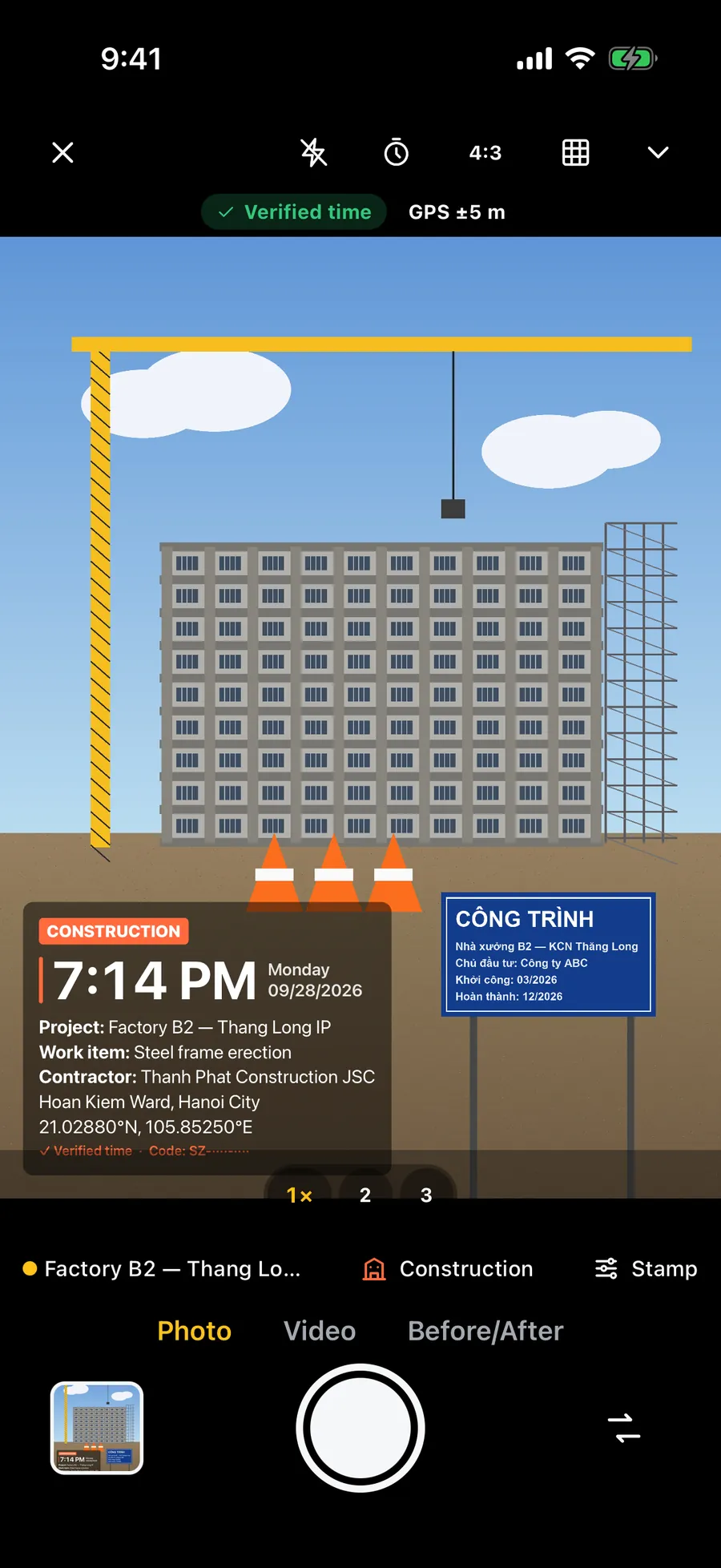
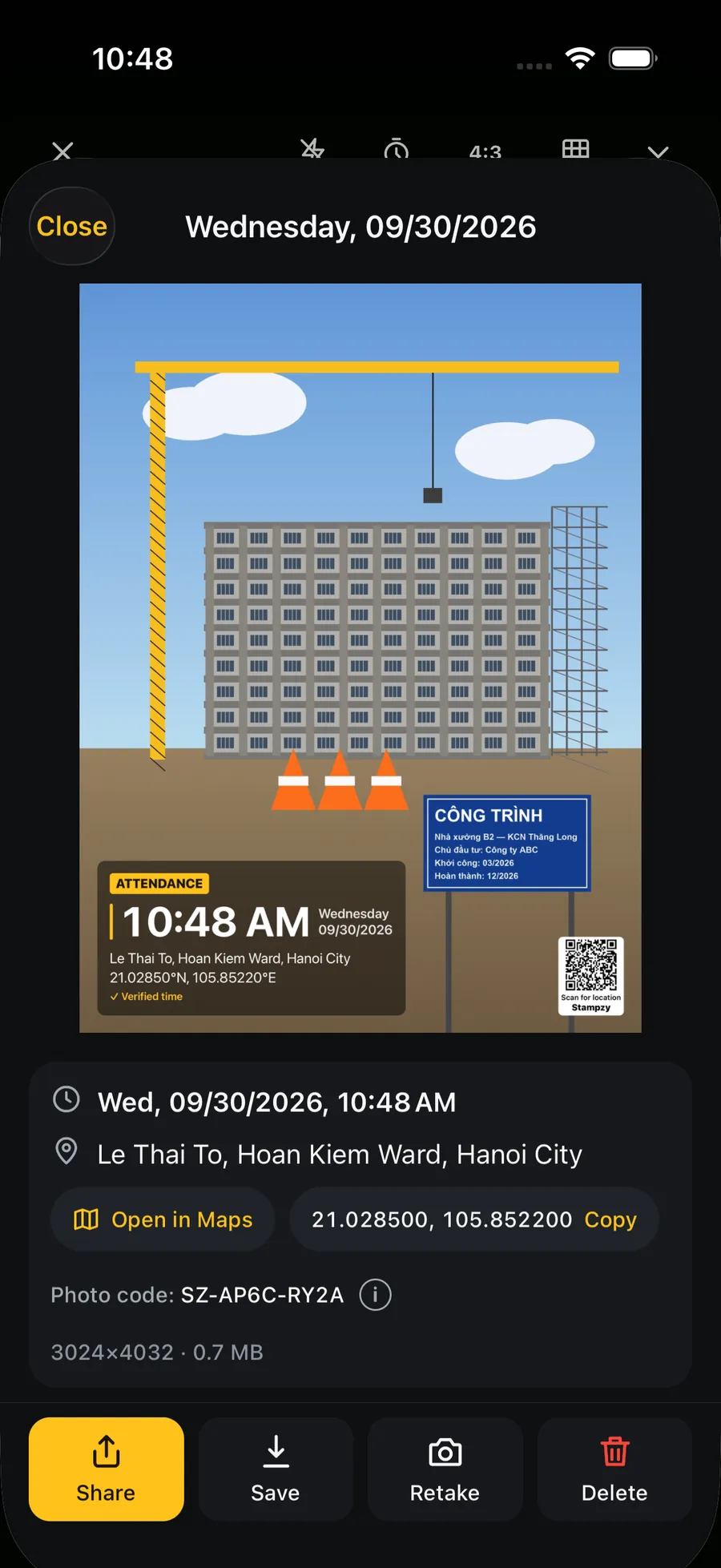
The iPhone Camera already records the date, time and location of every photo, and the Photos app shows them in its info panel. What it does not do is put them on the picture: the recipient only sees them if the hidden data survived and they know where to look. A timestamp camera such as Stampzy draws the date, time, address and your notes onto the photo at the moment you take it.
If the photos are only for you, the iPhone Camera is enough. If they go to someone else over a chat app or email, or get printed, read the comparison below.
What does the iPhone Camera record about time and place?
Every photo carries its capture date and time in its metadata (EXIF), taken from the phone's clock. GPS location is saved only if the Camera may use Location Services: Settings → Privacy & Security → Location Services → Camera → While Using the App, with Precise Location on.
Nothing appears on the viewfinder or on the picture. You cannot see how far off the GPS is, or which address the photo will be labelled with, until you open it afterwards.
What can the Photos info panel show and change?
Open a photo and swipe up, or tap ⓘ: you see the date and time, the camera and lens, and a small map. You can also change them there: tap Adjust to edit the date and time, tap the location to change or remove it.
That is handy for tidying a library, with two consequences. Whoever looks at the photo cannot tell an original value from an edited one. And the data is often lost on the way: the Location switch under Options in the share sheet may be off, many messaging apps recompress photos and strip the location, and a screenshot carries the time of the screenshot.
In Vietnam, the address shown in the panel comes from Apple's map service and may still use district or province names from before 1 July 2025.
How do they compare, criterion by criterion?
The table compares the built-in way (the Camera plus the Photos info panel) with Stampzy. Neither turns a photo into tamper-proof evidence; the difference is whether the information is visible and travels with the photo.
| Criterion | iPhone Camera + Photos info | Stampzy |
|---|---|---|
| Date and time visible on the photo | No, hidden data only | Yes, drawn on at capture |
| Visible before you press the shutter | No | Yes, the stamp is on the viewfinder |
| Still there after a chat app | Location often stripped, sometimes the original time too | Yes, the stamp is part of the pixels |
| Address format in Vietnam | From Apple's map service, may show old names | Commune/ward and province of the 34-province structure, computed on the phone |
| Without a signal | Coordinates; the address appears once online | Commune/ward and province as well |
| Work notes on the photo | Typed by hand with Markup afterwards | Project, work item or name lines from a template |
| Clock check | No indication | Says “Verified time” or “Device time” |
| Editing after capture | Time and place in the hidden data can be changed | No way to edit the stamp in the app; still not a tamper-proof certificate |
| Video | No clock on the video | Yes, in Stampzy Pro |
| Cost and account | Free, no account | Unlimited photos free with a small mark; no account |

When is the iPhone Camera enough?
- The photos are for you to find later: searching by place in Photos already does this well.
- You send originals by AirDrop, iCloud or email with location included, and the recipient knows how to open the info panel.
- You only occasionally need a date on a photo: type it onto a copy with Markup in Photos.
In these cases there is no need to install anything just to get a stamp.
When is a timestamp camera worth it?
- Photos go through a chat app to a site lead, a customer or an accountant who needs to see at a glance when and where they were taken.
- You take dozens of photos a day, and typing on each one is not realistic.
- In Vietnam, the address on the photo has to follow the new structure, even where there is no signal.
- The photo needs context: the site, the work item, an order code, the name of the person checking in.
Either way, how much does a photo prove?
A photo with a time on it, hidden or printed, is still the photographer's own record. It makes checking quick for others, but it does not replace minutes, signatures or documents. Keep the clock on Set Automatically, keep the originals, and agree in advance with the people receiving the photos on what they need.