Customer visit photos for field sales: what to shoot, what to write, how to send it
Updated · 4 min read
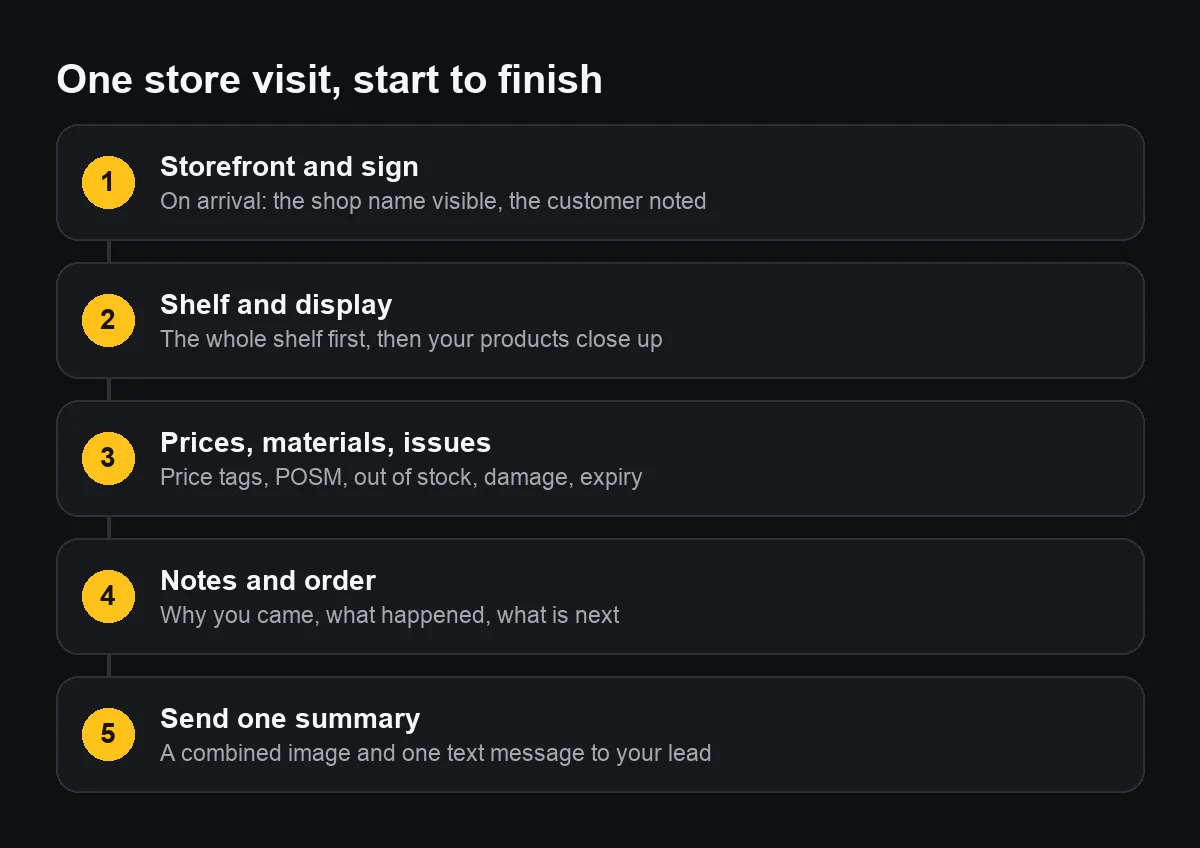
One customer visit should leave three or four photos: the storefront with its sign, the shelf or display, a close-up of your products and anything that needs reporting. Each carries the date, time, address and customer name on the photo itself, and at the end you send one summary instead of loose pictures.
This is for field sales reps, merchandisers, promoters and the leads who read their reports: a routine that works today with an iPhone and a chat app, and where an app can take over.
Which photos should I take at every outlet?
Shoot in the same order everywhere, so your lead can compare outlets:
- The storefront on arrival, with the shop name or house number readable. This one answers “were you there”.
- The whole shelf, then your products close up: facings, shelf position, competitors next to them if your company wants that.
- Price tags, point-of-sale materials, out-of-stocks, damaged or near-expiry goods.
- If a display programme is running: the exact angle its rules ask for, the same every time.
Four to six photos per outlet is enough. Extra photos only make the report longer.
What should be written on the photo so a lead understands it?
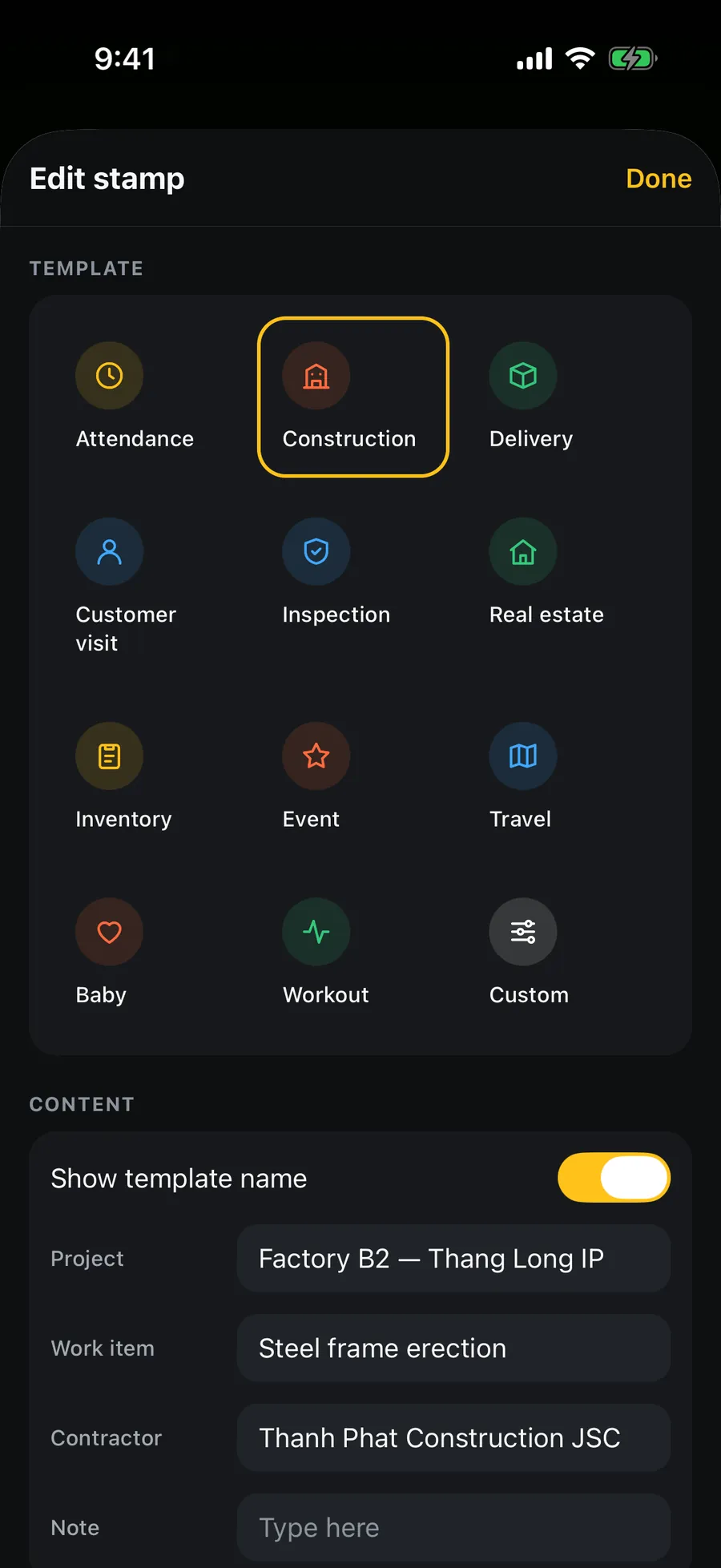
Visit photos pass through many hands: the area lead, the programme accountant, sometimes the distributor. Each one should answer on its own:
- Customer: the store name or customer code.
- Purpose: routine call, display check, sample drop, collection.
- Staff: the rep's name.
- The date, time and address visible on the photo, not just in hidden data, which chat apps often strip.
Without a stamping app, type these lines onto the photo with Markup in Photos, or at least post one fixed caption under each set: “C1024 – Minh Anh grocery – display – 9:40”.
How do I send a visit report on a chat app without clutter?
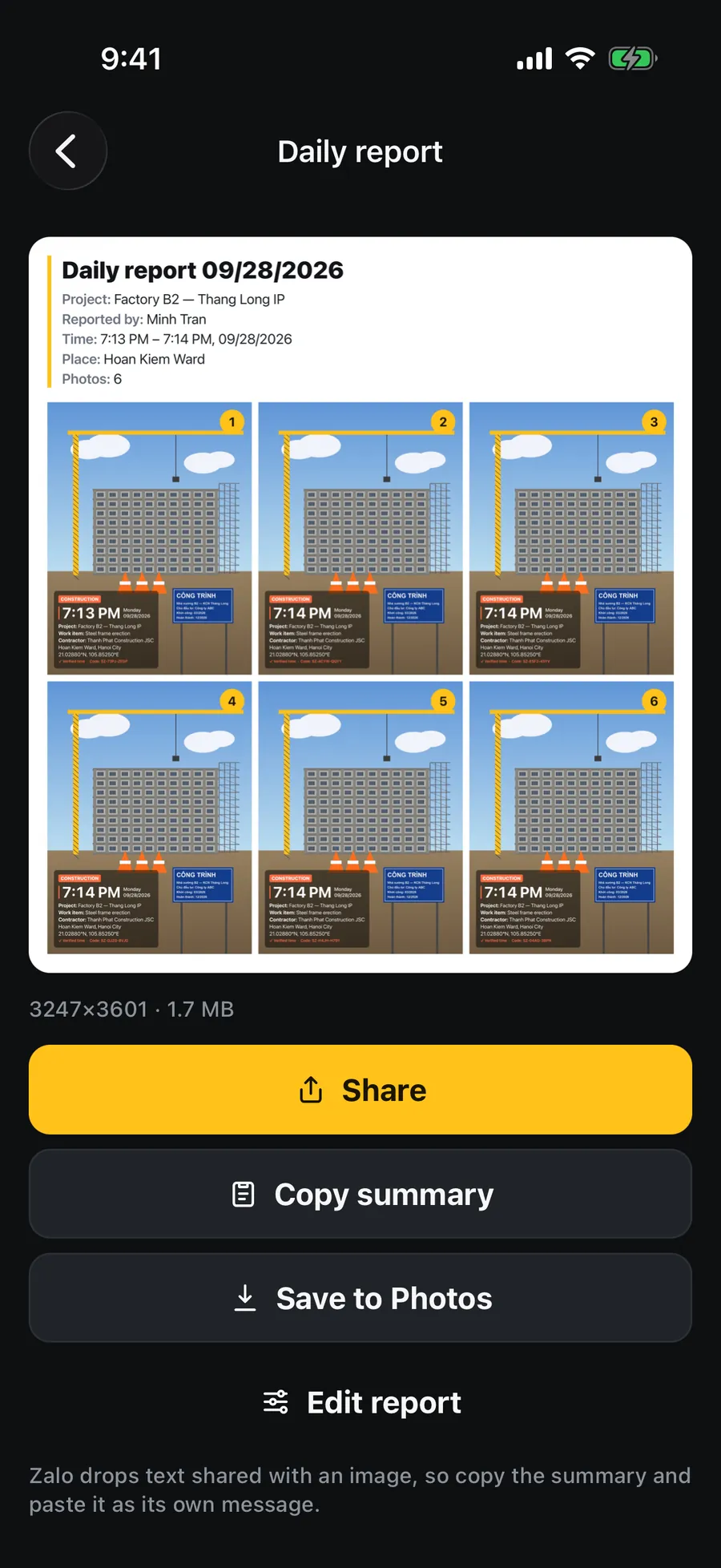
- One short text per outlet: customer, what you did, the outcome, what needs following up.
- Combine that outlet's photos into one image instead of sending them loose; a combined image does not get split up by other people's messages.
- At the end of the day, one wrap-up: outlets visited, orders, issues for your lead.
- Send originals when your lead needs to zoom in on a price or a date; compressed photos may make small print unreadable.
When you share photos from another app into Zalo, the text that goes with them is often dropped, so send the summary as a separate message.
What should I keep in mind when shooting in someone else's shop?
The shop is the owner's business, not yours. Ask before photographing inside, especially on a first visit. Avoid customers' faces and the till screen. If the owner says no, write that in the report rather than shooting anyway; a good relationship with the outlet is worth more than one photo.
Can visit photos replace sales management software?
Not entirely. Distribution management systems handle routes, orders, display scoring and a dashboard for the whole team. Timestamped photos suit small teams, distributors just starting out, or as the photo part when such a system has a weak camera. If your company already has one, follow its process; the shooting rules above still apply.
What should I prepare before going out?
- The day's outlet list with customer codes.
- A full battery or a power bank, and the iPhone clock on Set Automatically.
- Which display programme is running and the angle it requires.
- A summary message template saved in Notes, ready to fill in.