How to photograph a holiday rental or hotel room when you arrive, so you are not blamed for damage that was already there
Updated · 5 min read
When you arrive at a holiday rental or a hotel room, spend ten minutes before you unpack: photograph each room once from the door, take a close-up of anything already stained, chipped, scratched or broken, and send those photos to the host or front desk straight away. Do a quick set again when you leave. If the host later says you caused damage, you can show what it looked like when you got there.
This guide is about what to record. Each platform, host and hotel has its own damage and dispute rules and deadlines, so read the booking terms; this is photo advice, not legal advice.
When should I take the photos?
- On arrival, before you unpack, cook or use the bathroom. Once your things are spread around, it is harder to tell what was there before you.
- If you find something that is not as the listing described, such as a broken lock, a burn on the sofa or a mouldy shower, tell the host or the front desk the same hour and keep the message.
- At checkout, take a second quick set after you have tidied up and before you hand back the keys.
What do I photograph, and in what order?
1. The front door and the number or name of the unit, so the set is tied to the right place.
2. Each room once from the doorway, so it is seen whole. Switch the lights on first.
3. Close-ups of anything damaged or dirty: marks on walls and ceilings, stains on the bed linen, sofa or carpet, chips on tiles, basins or worktops, scratched furniture, cracked glass, burn marks, missing or broken items.
4. A second photo a little further back for each close-up, so it is clear where in the room it is.
5. The bathroom and kitchen: taps, drains, seals, hobs and the oven, the fridge, and any mould or limescale.
6. Items the host may list as inventory or charge for: the TV and remote, keys and key cards, bed linen and towels, furniture and appliances.
7. Anything that does not work: the air conditioner, the heating, the hot water, the Wi-Fi router. Photograph the screen, the display or the error.
Should I also film a video?
A slow walk-through video is a useful extra: it shows the layout and that nothing was left out. Keep it short and steady, and say the date and the address at the start. Keep the photos too, because they are sharper and easier to attach to a message or a form.
Who should I send the photos to?
- For a holiday rental, tell the host through the booking platform's own message system if there is one, so the message is on the booking record, and say what you found and when you found it. The platform's resolution process is the one that will see it.
- For a hotel, tell the front desk and ask for the room to be changed or the damage to be noted on your record. Ask for the name of the person you spoke to.
- Keep the message thread and the photos together. Reply in writing even if the host answers by phone.
Do not wait until checkout: photos produced only at the end, with no message beforehand, are easier to doubt.
How do I keep the time and place with the photos?
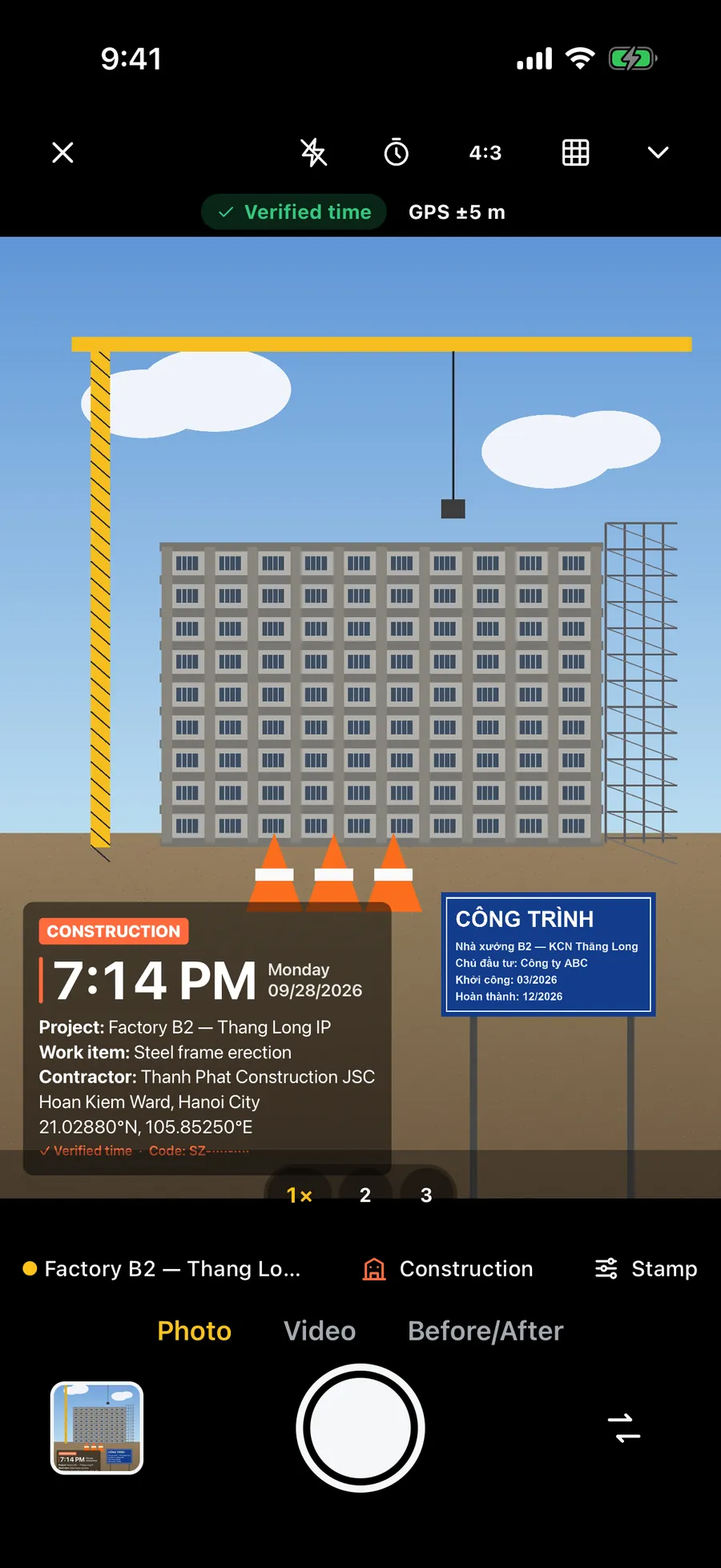
The iPhone Camera saves the date, time and, if Location Services is on for the Camera, the coordinates in each photo's hidden data. That data is often removed when photos go through a chat app, a booking platform or an email client, and the person reading the dispute may never see it.
Check that the phone's date, time and time zone are set automatically, especially after a flight. Never edit a photo in a way that changes how the damage looks, and keep the originals on your phone, not only copies sent through a chat app. A date printed on the picture itself stays visible wherever the file ends up.
What should I do at checkout?
Walk through the same order, from the same spots: each room from the doorway, the bed, the bathroom, the kitchen, the keys on the table. If you broke something by accident, say so, take a photo and offer to pay. It is easier to settle than to be found out.
Keep the photos and the messages for as long as the platform's or hotel's claim window runs, which differs by company and country. Check your booking terms.
Frequently asked questions
- What should I photograph when I arrive at an Airbnb or holiday rental?
- Each room once from the doorway, then a close-up of every stain, chip, scratch or broken item, with a second photo further back to show where it is. Include the bathroom, the kitchen and anything that does not work, and send the photos to the host the same day.
- Should I tell the host about damage I find on arrival?
- Yes, promptly and in writing, through the booking platform's message system if there is one, so the message is on the booking record. Say what you found and when.
- Do I need to photograph a hotel room before I use it?
- It is a good habit, especially for stains, burns, broken items and anything missing. Tell the front desk about problems and ask for them to be noted or for the room to be changed.
- Should I take photos again when I check out?
- Yes. Repeat the same order from the same spots after you have tidied up, so you can show the condition in which you left the place.
- Does a timestamp on the photos settle a damage dispute?
- No. It makes the time and place easy to see, but the host, the platform or the hotel decide under their own rules. Clear, honest, well-ordered photos sent early make your case easier to assess.